
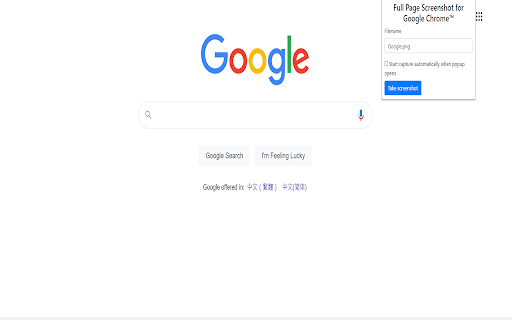
Full Page Screenshot for Google Chrome™
v3.0.1 Updated Feb 1, 2025 207KiB
⚠️Not updated in over a year
Description
Want to take a screenshot of the entire web page?
Install our software today and you can take complete page screenshots.
Please note if the web page is very long, dont move the mouse after clicking on the "take screenshot" button as our software will need to scroll down the page and take the screenshots & combine the screenshots together into one final screenshot image.
Our software is extremely easy to use, simply click on the extension icon and choose "take screenshot" after you are on the web page you wish to take a screenshot of.
Try using this 100% free screenshot software today! Our software does NOT save any data/capture any data about our users. The only permissions required are Downloads => needed for users to save the screenshots they take onto their own computer and Storage permissions to save the user settings for this software extension.
You can also rate our extension using the rate us button.
Disclaimer: Please note this extension is NOT made by Google and is made by an independent development team. All copyrights belong to their respective owners. Google doesn’t endorse or sponsor this extension. Full Page Screenshot for Google Chrome™ is not owned by, is not licensed by and is not a subsidiary of Google Inc.
Reviews (12 cached)
★☆☆☆☆2023-10-17
Lis Wild
dont work
★☆☆☆☆2023-07-15
Yeet
trash
★☆☆☆☆2022-12-07
uqba sajjad
its fine
★☆☆☆☆2022-08-26
Roger Smith
useless
★☆☆☆☆2022-07-29
Johnson Liu
useless
★★☆☆☆2023-08-02
Yuping Li
not helping
★★☆☆☆2023-06-22
Gary Liu
Can't shoot the whole page, most part are grey blank. Looks like a bug.
★★☆☆☆2022-12-22
dudung rafols
useless
★★☆☆☆2022-10-27
夜空ショウ
useless
★★★☆☆2025-01-09
Kolja Pitz
buggy but free
★★★☆☆2021-12-07
Bilal Malik
good
★★★☆☆2021-05-14
Michał Sobczyński
In plus: it really saves the entire page, doesn't cut anything In minus: if you want to add something to the screenshot, you have to do it yourself.
Permissions (2)
Permissions
activeTabℹ Can access the current tab when you click the extension scriptingℹ Can inject scripts into web pages
Details
| Version | 3.0.1 |
| Updated | Feb 1, 2025 |
| Size | 207KiB |
| First Seen | Mar 22, 2026 |
More by Free Software Utilities

Enable Right Click for Google Chrome™
by Free Software Utilities
500K
★ 3.51
workflow
500K
★ 3.51
workflow
CSS Viewer for Google Chrome™
by Free Software Utilities
50K
★ 4.10
workflow
50K
★ 4.10
workflow

Virtual Keyboard for Google Chrome™
by Free Software Utilities
20K
★ 3.20
workflow
20K
★ 3.20
workflow

Sketchpad for Google Chrome
by Free Software Utilities
8K
★ 3.87
education
8K
★ 3.87
education

Online Radio for Google Chrome™
by Free Software Utilities
5K
★ 3.35
workflow
5K
★ 3.35
workflow
Popular in workflow

Adobe Acrobat: PDF edit, convert, sign tools
by Adobe Inc.
330M
★ 4.40
workflow
330M
★ 4.40
workflow

Chrome Remote Desktop
by Chrome Remote Desktop Release Managers
38M
★ 3.14
workflow
38M
★ 3.14
workflow

Screencastify - Screen Video Recorder
by castify-ext-dev
9M
★ 3.95
workflow
9M
★ 3.95
workflow

Mendeley Web Importer
by Mendeley
3M
★ 2.25
workflow
3M
★ 2.25
workflow

Web PKI
by Lacuna Software
3M
★ 3.01
workflow
3M
★ 3.01
workflow
Popular Extensions
Adobe Acrobat: PDF edit, convert, sign tools
by Adobe Inc.
330M
★ 4.40
workflow
330M
★ 4.40
workflow
Chrome Remote Desktop
by Chrome Remote Desktop Release Managers
38M
★ 3.14
workflow
38M
★ 3.14
workflow

Cisco Webex Extension
by cisco.chromestore
24M
★ 2.34
social
24M
★ 2.34
social

Kami for Google Chrome™
by Kami
17M
★ 4.56
education
17M
★ 4.56
education

Read&Write for Google Chrome™
by Texthelp
17M
★ 3.44
accessibility
17M
★ 3.44
accessibility