
Description


Reviews (20 cached)
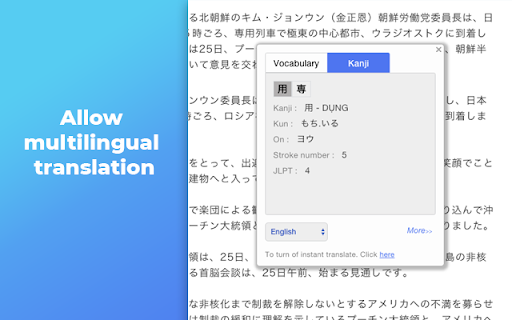
I just tried installing this. However, when I click on the icon, it says: Tip: Have 2 ways to fast translate: - Double click to word - Select words, press hold Alt key and click mouse. I tried both options, and it does absolutely NOTHING. For that reason, I AM OUT!!!
I'm really disappointed with the recent changes to this extension. It used to be my favorite, but now it's become frustrating to use. Every time I double-click, the extension window pops up, and there’s no way to disable this behavior. On top of that, it no longer translates full sentences, only translating word by word. Please address these issues and bring back the previous functionality!
You have had several years to fix this, but the app still reports everything in Vietnamese.
it is in vietnameese so i dont understand it. cant find a button for it to change to english...
Absolute fail. Don't install this addon :<
Would not automatically popup and then when I right click and choose translate it goes to a website that is in neither Japanese nor English.
Should have an option for new tab setting for who don't need this feature like me.
controls my New tab and home page.
Return my Home Page when I open New Tab pleaseeeee -_-
The recent update took control of my home page. Hated it! Please go back to the previous release!
It controls my New Tab Page that makes me to remove it
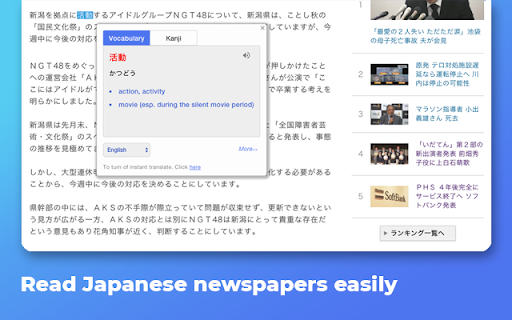
Idea was good, but the pronunciation of pop up dicionary? Very bad! It read not only the japanese words but also letters! Something like: a i d as sns s i!!
this is terrible, idea is great but whats with the "highlight text and double click"?? what if the text you want to translate is part of a hyperlink that you can clink on would turn this utterly pointless, pls switch to a pop up type. further more, i cant see romanji phonetically like it suggested, not only I need to see the meaning but also know how it pronounce like/read without having to redirect to another translation page.
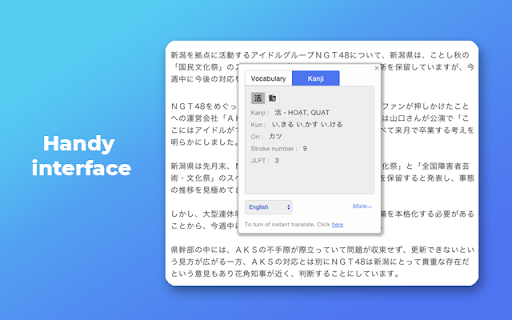
It inconveniently covers up the sentence that I'm reading with the popup. I need to click away every time to select the next kanji.
It was good, but the extension has suddenly malfunctioned. This seems to be an issue with not having been updated recently. I'm not sure what settings in Chrome it clashed with, but what used to show Kanji characters only after pressing a designated function key (alt), now pops up with just one click or dragging. I double checked the options pane, but I can't control this pop up error.
This is no longer convenient to use anymore. Rather than displaying the translation of the selected text, the popup window now displays several other words that shares some of the same kanji characters. It's no longer useful for quick vocabulary translations.
Please, update this extension. We need "add to notebook" feature without going to the website.
Works great, but would it be possible to have the user set a custom shortcut to display the popup? When you want to translate a hyperlink it's not really useful that you have to click on it. Also the Ctrl+Shift+M shortcut is used by chrome to open up the user panel (where you set up the sync etc). Another issue with for example "切る", where the list is too long to be able to see the whole popup, it was also mentioned in an older review, so a scroll panel might be needed.
the app page is in vietnamese, can't change it because the buttons described to change don't exist, half of the button don't work - when i click them nothing happens even though the url changes, should have a more clear settings page where you can chose language etc.
Good, but the recent update made it take over New Tab page without any agreement from user. I don't like program doing things without permission. Disabled.
Permissions (5)
Permissions
Details
| Version | 1.7.1 |
| Updated | Nov 20, 2025 |
| Size | 964KiB |
| First Seen | Mar 22, 2026 |
Popular in education


Popular Extensions



