
Description
Learn vocabulary naturally while you browse the web.
Tooltiplingo turns every webpage into a language learning opportunity. Simply double-click any word or phrase to instantly see its translation in a tooltip — the word is automatically saved to your personal vocabulary list and scheduled for review using the FSRS spaced repetition algorithm.
HOW IT WORKS
1. Double-click a word on any webpage to see its translation
2. The word is automatically saved with context (the surrounding sentence, source URL, and page title)
3. When words are due for review, you'll receive a reminder
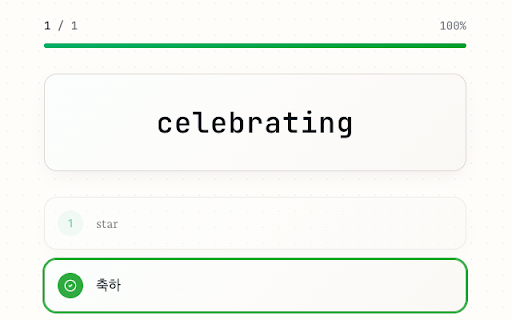
4. Complete short quizzes to reinforce your memory at scientifically optimal intervals
KEY FEATURES
- Instant translation: Double-click any word or phrase to see its translation in a floating tooltip
- Automatic vocabulary collection: Every translated word is saved with its context for later review
- Spaced repetition (FSRS): Reviews are scheduled at optimal intervals based on your performance
- Two quiz modes: "Daily Review" for scheduled words, and "Extra Practice" for free study
- Progress dashboard: Track your study streaks, accuracy, daily goals, and vocabulary growth
- Smart filtering: Automatically skips code blocks, input fields, URLs, emails, and programming identifiers
- Encounter tracking: See how many times you've come across a word and where you found it
- Export & import: Back up or transfer your vocabulary as CSV, JSON, or Anki-compatible format
- Customizable: Set daily goals, notification schedule, excluded domains, and language pair
- Interactive tutorial: Guided onboarding to get started quickly
SUPPORTED LANGUAGES
Translates from any source language. Set your native language as the target (Korean, Japanese, Chinese, and more).
PRIVACY
- All vocabulary data is stored locally on your device (IndexedDB)
- No account or sign-up required
- No personal data is collected or sent to third-party servers
- Translation requests are sent to Google Translate
This extension is open source and free to use.




Reviews
Loading reviews...
Permissions (6)
Permissions
activeTabℹ Can access the current tab when you click the extension alarmsℹ Can schedule periodic background tasks notificationsℹ Can show desktop notifications storageℹ Can store data locally in your browser tabsℹ Can see your open tabs and their URLs ttsℹ Can use text-to-speech
Details
| Version | 0.1.0 |
| Updated | Feb 2, 2026 |
| Size | 367KiB |
| First Seen | Mar 21, 2026 |
More by Sung Ye In

Popular in education

Kami for Google Chrome™
by Kami
17M
★ 4.56
education
17M
★ 4.56
education

Language Reactor
by Dioco
2M
★ 4.20
education
2M
★ 4.20
education

Speechify — Text to Speech
by Speechify
1M
★ 4.59
education
1M
★ 4.59
education

LibKey Nomad
by Third Iron LLC
1M
★ 4.71
education
1M
★ 4.71
education

xFanatical Safe Doc
by xFanatical
700K
★ 1.46
education
700K
★ 1.46
education
Popular Extensions

Adobe Acrobat: PDF edit, convert, sign tools
by Adobe Inc.
330M
★ 4.40
workflow
330M
★ 4.40
workflow

Chrome Remote Desktop
by Chrome Remote Desktop Release Managers
38M
★ 3.14
workflow
38M
★ 3.14
workflow

Cisco Webex Extension
by cisco.chromestore
24M
★ 2.34
social
24M
★ 2.34
social
Kami for Google Chrome™
by Kami
17M
★ 4.56
education
17M
★ 4.56
education

Read&Write for Google Chrome™
by Texthelp
17M
★ 3.44
accessibility
17M
★ 3.44
accessibility