
Description



Reviews (5 cached)
huge edit, sorry to say. for some reason when i hit the paywall. i tried to pay and was redirected to a malicious url. ive since uninstalled. perhaps one of your 3rd party payment processors have an issue?
I installed this extension to grab links, but after reviewing its code and monitoring network activity, I cannot recommend it. The core link-grabbing functionality works, but the extension has serious design and trust issues that go far beyond what's necessary for a simple utility: Major concerns: - The extension injects a remote paywall iframe from onlineapp.* domains and makes frequent background calls to those servers, even when not actively used. - It allows external websites (onlineapp.pro, .live, .stream) to directly communicate with the extension via Chrome's externally_connectable API. - Through this bridge, those sites can read and write the extension's synced storage, which is an unnecessary and risky capability if those domains are ever compromised. - The extension uses remote configuration (Firebase Remote Config), meaning its behavior can change server-side without updating the extension. - It includes persistent analytics/telemetry (GA4 Measurement Protocol) with a stable client identifier and optional page URL reporting. - It requires very broad permissions (<all_urls>, tabs, scripting) for functionality that could be implemented with far fewer privileges. While I did not find obvious credential stealing or keylogging code, this architecture creates a large and unnecessary attack surface for a simple link grabber. Users must place a high level of trust in remote infrastructure that is not clearly documented or justified. Bottom line: This is an over-engineered extension with excessive permissions and remote control mechanisms. If you care about privacy or browser security, there are simpler link-grabber extensions that do the same job without external messaging, remote config, or constant network traffic. I strongly recommend choosing a more minimal, privacy-respecting alternative. Prior Review: Jan 29, 2025 (5/5): Works excellently and does an amazing job at it! Thank you for creating this extension, and helping me rectify the issue!
dont work!!!
On a Mac Air. Most of the time the selection shortcut simply doesn't work. Ive tried using Ctrl (which is the command key on a Mac,) Shift, the a key, all with the left mouse click. Once in a while it works, most of the time it doesn't (even on the Link Grabber help page, that says try it on these links.) Can't figure out the issue, if I can't figure it out very soon, this gets deleted and look for an alternate. :(
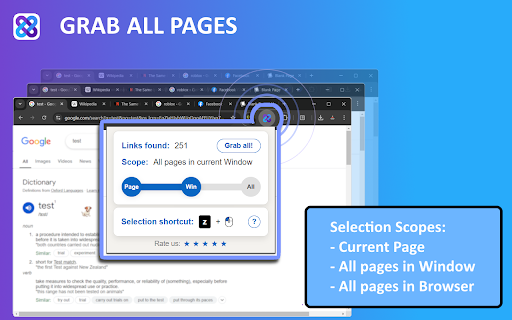
For what it's worth, it works. It has index sorting and can filter, which is very nice to grab lots of links in a page (that can't be manually selected with the selection tool due to the amount; more than my screen can contain.). I particularly love the index sorting and filter, so I can just take everything in the page, filter what I need by title or url part, and export to csv or txt for easy use later. But the flaw makes it very unpleasant for me to use: can not manually turn the extension on or off (to disable or enable the extension easily, to only activate when needed). I use a lot of keyboard shortcuts for work, including Ctrl, Alt, etc, and all the extension allow me to do is change the shortcut...to another key bindings that interfere with my work shortcuts. I have to manually go to chrome extensions list and manually disable everytime... it's very inconvenient and wasted lots of time. But it does work, it's just me that don't want to compromise in this part of the inconvenience. I hope you can put this into a suggestion/consideration, to add an easy ON/OFF button, so that the extension only active when we wanted to use it. For example, the default key Ctrl + click to open selection tool, I use that 99% of the time to open link in new tabs (Ctrl+Click on a link opens the link in a new tab), so it kept appearing and disrupting it. I think this is a HUGE flaw, to an otherwise almost perfect extension. Thank you.
Permissions (6)
Permissions
Details
| Version | 1.9.5.0 |
| Updated | Mar 23, 2026 |
| Size | 1.15MiB |
| First Seen | Mar 24, 2026 |
More by linkgrabber.pro

Popular in workflow



Popular Extensions

