
Description

Reviews (5 cached)
Unfortunately obsolete and abandoned.
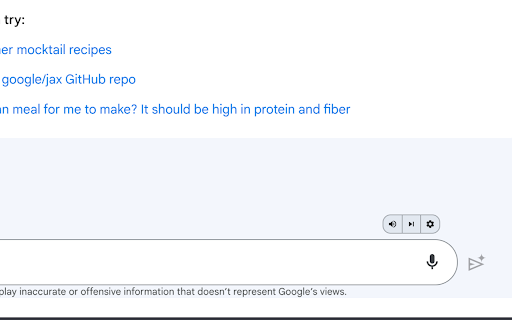
It only says "This extension enables voice control for bard.google.com", when I'm already there. ABSOLUTE TRASH. DON'T USE THIS EXTENSION. I WOULD GIVE 0 STARS IF I COULD
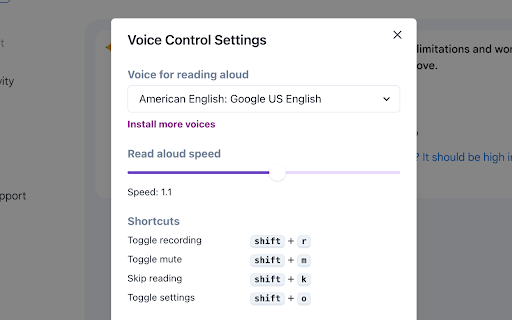
It's not a bad extension, but 40% of the point of listening to things in Gemini is how smooth and nice the Gemini reading voice is, cadence, rhythm, and inflection all combine for a great reading experience. However, with this extension installed, it seems to utilize the "normal" voices installed on your specific chrome browser. And even though I do like the Piper Project voices installed on mine, it pales in comparison to the Gemini reading capabilities. So essentially, using this extension defeats the whole purpose by not using the gemini voice. Even though it requires one more click of a button (or two), I'd rather have to click those if it means hearing the nicer voice. In addition, the description of the app read to me as if it would allow reading aloud (using gemini itself) of any text on any webpage, which doesn't seem to be the case. I wish you luck, but I am uninstalling. Please feel free to take this as constructive feedback and work towards these features. Have a nice day ^_^
Needs work, please try to replicate the Talk to GPT functionalities, we need to be able to intereact completely hands free, ever shortcut, button pressing is taking away from the experience and requires switching between windows which is not ideal. and in some situations defeats the purpose of voice controlled asistant
Good idea but this bard version does not let me choose or control my input language, only my output language, please add the feature to select what input language i speak into the microphone, it only defaults to english and has no option to change language. Please add this feature, thank you!
Details
| Version | 2.0.0 |
| Updated | Mar 7, 2024 |
| Size | 199KiB |
| First Seen | Mar 31, 2026 |
More by Theis Frøhlich


Popular in functionality




Popular Extensions




