
InjectJS – JavaScript Injector & Custom Script Manager
by injectjsteam
v4.1.0 Updated Jan 19, 2026 50.17KiB
Description
Inject JS lets you effortlessly inject custom JavaScript (JS) scripts into any webpage. Automate tasks, enhance websites, and instantly modify page behaviors.
New Update:
* Import/Export Scripts
* Expanded Script File Size Limit
Key Features:
* Inject JavaScript instantly into any website.
* Custom Script Management: Create, edit, enable, disable, or delete scripts.
* URL & Pattern Matching: Precisely control where scripts run using URL or regex.
* Right-Click Context Menu: Quickly execute scripts manually on any webpage.
* Mini Dashboard: Access scripts directly by clicking the extension's icon.
* Code Auto-Formatting: Built-in editor ensures clean and error-free JS code.
* Fully Local & Secure: Scripts remain securely stored on your device.
* Manifest V3 Compliant: Meets Chrome’s latest performance and security standards.
How to Use Inject JS:
1. Open Inject JS to create a new script.
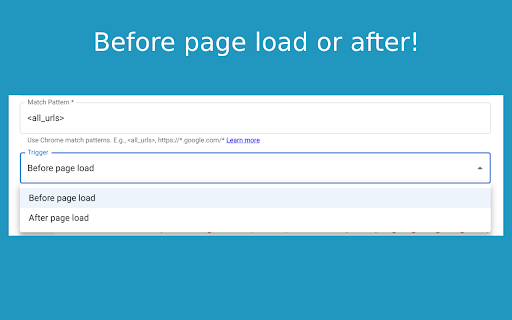
2. Paste or write your JavaScript code and set URL patterns.
3. Enable scripts to auto-run, or trigger manually via right-click context menu or the mini dashboard (extension icon).
Inject JS is perfect for developers, QA testers, automation enthusiasts, and power users who want easy control of JavaScript injection.
Install Inject JS today to transform and personalize your browsing experience!


Reviews
Loading reviews...
Permissions (5)
Permissions
contextMenusℹ Can add items to the right-click menu scriptingℹ Can inject scripts into web pages storageℹ Can store data locally in your browser userScripts webNavigationℹ Can monitor navigation events
Details
| Version | 4.1.0 |
| Updated | Jan 19, 2026 |
| Size | 50.17KiB |
| First Seen | Mar 29, 2026 |
Popular in developer

GoFullPage - Full Page Screen Capture
by GoFullPage
10M
★ 4.89
developer
10M
★ 4.89
developer

TouchEn PC보안 확장
by 라온시큐어
8M
★ 1.33
developer
8M
★ 1.33
developer

React Developer Tools
by Meta
5M
★ 3.95
developer
5M
★ 3.95
developer

Meta Pixel Helper
by Meta
4M
★ 3.91
developer
4M
★ 3.91
developer

WhatFont
by Chengyin Liu
3M
★ 4.01
developer
3M
★ 4.01
developer
Popular Extensions

Adobe Acrobat: PDF edit, convert, sign tools
by Adobe Inc.
331M
★ 4.40
workflow
331M
★ 4.40
workflow

Grammarly: AI Writing Assistant and Grammar Checker App
by Grammarly
42M
★ 4.50
communication
42M
★ 4.50
communication

Chrome Remote Desktop
by Chrome Remote Desktop Release Managers
38M
★ 3.14
workflow
38M
★ 3.14
workflow

Microsoft Single Sign On
by Microsoft
36M
★ 2.27
workflow
36M
★ 2.27
workflow

Cisco Webex Extension
by cisco.chromestore
23M
★ 2.34
social
23M
★ 2.34
social