
Description


Reviews (8 cached)
Worthless, as other's have said, doesn't pull from my current Wrike task list, so what's the point?
Unhelpful as it doesn't pull from pre-existing tasks, you have to write everything in manually in the extension, rather than there being a built in automated process that syncs with a profile's existing to do list. Unsure why this exists if you could literally use any To Do List extension with the same results.
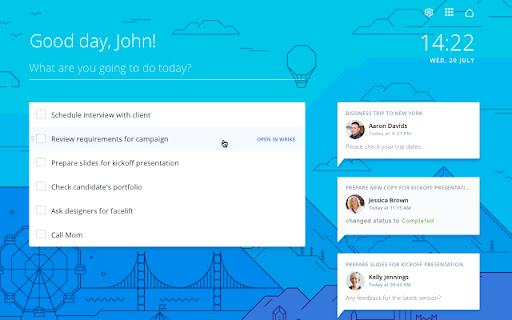
I don't understand - why the ToDo list is available as a "new tab" function only - it blocks my personal "new tab" settings - why this chrome extension like to get so much rights (on default): "Allows this extension to read and modify all my data on websites I visit:" "Allow on all websites"
This is not useful for business use, I create all tasks inside of my teams space. Why can't you choose where tasks are created?
i can not login in cn with vpn, why?
This is a powerful program. They've apparently fixed the complaints above because I don't have a problem creating tasks for specific projects. But it's annoying how it shows up when you create a new tab in Chrome. That is my biggest complaint. If it's just me not knowing how to set it up, then it's way more complicated than it needs to be to do.
I love the visual design of this, but I really wish I could create additional widgets to display tasks from any space, project, or folder. How amazing would it be to open this each day and see what I already have planned along with any extra to dos I need to add? Please consider updating this to include additional task lists! :)
I was hoping this would tie in to the existing To-Do list in Wrike, but I was disappointed to find out it creates a separate To-Do folder in Wrike. Not sure why I need another to-do list when Wrike already has one. This can potentially create fragmentation of work and two places to check for to-do items instead of one. Doesn't make sense to me.
Permissions (3)
Permissions
Details
| Version | 1.0.24 |
| Updated | Oct 1, 2025 |
| Size | 9.16MiB |
| First Seen | Mar 27, 2026 |
Popular in workflow



Popular Extensions

