Talkie: text-to-speech (TTS) icon

Talkie: text-to-speech (TTS)

by Joel Purra

vv8.0.2 Chrome Extension (2025-09-10) Updated Sep 12, 2025 1.34MiB
CWS
50K
Users
★ 3.58
170 reviews
#1472
of 113.5K
accessibility
#92 of 3.5K

Description

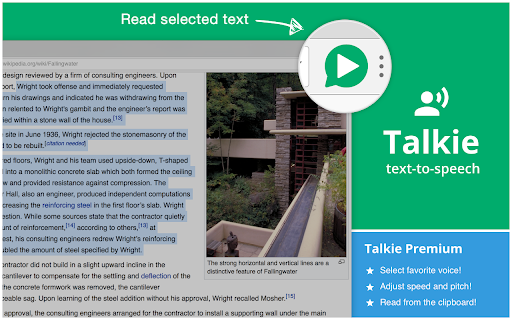
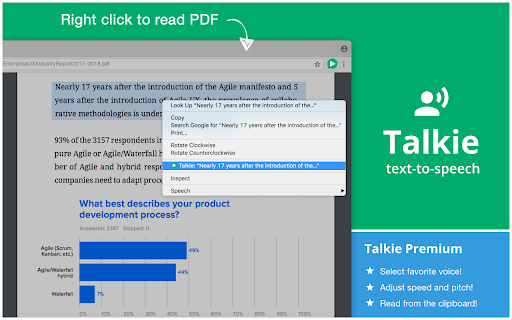
# Install additional voices New voices, languages, dialects can be downloaded for FREE for your operating system from for example Microsoft, Apple, and Google. Once installed correctly, Talkie will auto-detect them. ☑ Windows 11: Settings → Time & Language → Language & Region ☑ Windows 10: Settings → Time & Language → Language ☑ macOS: System Preferences → Accessibility → Speech → System voice → Customize... ☑ ChromeOS: Settings → Manage accessibility features → Text-to-Speech voice settings → Speech Engines # Usage 1. Select desired text on any web page. 2. Click the Talkie button in your browser bar You can also select the text, then right click on it, and choose Talkie in the menu. This way also works in PDF-files and some special types of pages in Chrome. https://joelpurra.com/projects/talkie/#usage # Shortcut keys A convenient option is to use the Talkie shortcut keys: ☑ ⌘+Shift+A on macOS ☑ Ctrl+Shift+A on Windows, Linux, Chrome OS ☑ ⌘+Shift+1 or Ctrl+Shift+1 to read text from the clipboard in any program (Talkie Premium feature) If the key does not work, please check that it is not already in use by another extension. How to check or change the Talkie shortcut key: https://joelpurra.com/projects/talkie/#shortcut-keys # Features ☑ Lets you listen to the selected text on any part of a page -- a short snippet or an entire news article. Just highlight what you want to hear read aloud and hit play. ☑ Automatically detects the text language per-page, and chooses a voice in the same language to match it. ☑ Privacy aware -- no unnecessary tracking or external services. # Voices ☑ Uses your browser's built-in Web Speech API for text-to-speech (TTS) known as Speech Synthesis. ☑ All text and speech is processed internally by your browser. While ultimately depending on your specific browser, all processing is expected to be done on your own machine and not use a server. ☑ The available voices may differ depending on your operating system, browser, browser version, and any other installed extensions/software. ☑ Custom voices using Speech Application Programming Interface (SAPI) should work, but not all have been tested. https://joelpurra.com/projects/talkie/#install-additional-voices # Upgrade to Talkie Premium! ☑ Select your favorite voice per language! ☑ Adjust the speed and pitch per language! ☑ Read text from the clipboard in any program! # Open source For open source code (GPL-3.0) and more, see the project web page: https://joelpurra.com/projects/talkie/ See also additional tools developed by Joel Purra: https://joelpurra.com/
Talkie: text-to-speech (TTS) screenshot 1Talkie: text-to-speech (TTS) screenshot 2Talkie: text-to-speech (TTS) screenshot 3Talkie: text-to-speech (TTS) screenshot 4Talkie: text-to-speech (TTS) screenshot 5

Reviews (32 cached)

★☆☆☆☆2025-10-22
Björn Larsson

I select text and click the extension. It tells me to select text. Well, I have. It simply doesn't work. I never managed to make it read anything.

★☆☆☆☆2025-08-10
callanyonefrompc

Garbage with a nice UI, but still garbage.

★☆☆☆☆2025-03-10
Julia Diachenko

terrible you have to select text and it doesn't select well or scroll to allow selection of more than one scroll window. the worst of all extensions

★☆☆☆☆2024-10-27
Delta

I tried like everything I could think of to change the voice but it just doesn't work...

★☆☆☆☆2023-02-15
Chris Vydas

Payware, premiumware, and doesn't even do anything.

★☆☆☆☆2021-08-12
Zoran M

Is eSpeak the only German voice available in the non-Premium version?

★☆☆☆☆2021-02-14
Hakka Doğru

voice changing setting does not work.

★☆☆☆☆2020-10-26
Chris

This app can't even pronounce version...no thanks

★☆☆☆☆2019-10-03
Dustin Sharpless

Too slow and can't change the speed.

★☆☆☆☆2019-06-09
Aндрій Д

And why I must buy that, if it don't working iven in demo?

★☆☆☆☆2019-02-01
Thomas Kastrup

This program is not compatible with Danish language as written on the page

★☆☆☆☆2018-12-04
فيصل الإندونيسي

Crash when read arabic

★☆☆☆☆2018-08-11
Szabolcs Szász

Apart from the first example sentence, it never again uttered a word. (Win10 + Vivaldi, which is just about Chrome.) It apparently got stuck in "talking" mode forever, but remaining mute. And no Settings to be found?!... So, I selected the only applicable option: "Remove extension".

★☆☆☆☆2018-07-07
Leson Chikwape

no voice

★☆☆☆☆2018-05-19
dmitrij bortoq

does not work for ubuntu 16.04 chrome

★☆☆☆☆2017-06-03
Gromi Cyan

wont let me use

★★☆☆☆2023-07-24
Cenny Wenner

This extension registers global paywall shortcuts that activate even when you do not have your browser in focus.

★★☆☆☆2020-07-17
Johannes Senpai

It wasn't good at all. The default voice is worse than google translate and I tried everything to change it but nothing worked.

★★☆☆☆2019-07-04
C. Tony Curtis

Free version should include variable reading speed like other extensions.

★★☆☆☆2018-02-23
Adi Olteanu

not free

★★☆☆☆2018-02-06
Tomáš Kuchař

The free version reads the text TOO slow.

★★★☆☆2024-01-30
Nnenna OKOROAFOR

Good app but does not work for Google docs at all. which is what i needed it for.

★★★☆☆2020-10-19
h a

Only english

★★★☆☆2020-04-10
Φένια Δούκα

It does't have greek reader at all...

★★★☆☆2019-07-17
Michal

left mouse clicking skip the reading text and jump to the next paragraph, you can't use other browswer (chrome) pages at the same time because of that problem. Can You fix it?

★★★☆☆2018-05-11
Wusk V.

It wouldn't read pdfs for me, but other than that I think it worked wonderfully. The words were pronounced properly, it wasn't too fast or too slow. That's regarding the free version though.

★★★☆☆2018-04-01
wibie4Life

Ok, but after I changed the setting for the voices, the changes didn't apply at all to the site I do the TTS with. The default voice with its default setting still the one coming out.

★★★☆☆2017-12-19

Not bad. Free version let you read in your browser language + English. But if you could put only a visual notice when the page type is not compatible, instead of the voice warning I have to disable each time.

★★★☆☆2017-11-03
Bram Borger-Johnson

A lot of the features that I wish were free are behind a paywall (more voices than just two... even just 5 would be nice. As well as basic voice controls like speed)

★★★☆☆2017-10-05
Milan Maharjan

For a free extension it is good, got disappointed especially during the long pauses when it comes to punctuation.

★★★☆☆2017-08-25
John Standlee

Works fine and allows start/stop of reading; however, for control of speed/tone requires premium at $25/year.

★★★☆☆2017-03-07
Liam Waghorn

Works great but doesnt work with google docs like most of these extensions though

Permissions (6)

Permissions

activeTab Can access the current tab when you click the extension clipboardRead Can read from your clipboard contextMenus Can add items to the right-click menu offscreen scripting Can inject scripts into web pages storage Can store data locally in your browser

Details

Version v8.0.2 Chrome Extension (2025-09-10)
Updated Sep 12, 2025
Size 1.34MiB
First Seen Mar 27, 2026