
Description


Reviews (18 cached)
doesn't work anymore with Youtube.com. at alllllllllllllllllllllllll..........!!!!!!!!!
why it does'nt work in youtube
Cannot watch movies in iQIYI. The movies get in an infinite loop. Only works for series. The interface is confusing and buggy. It opens a new window every time you click something. The announced price for the paid version was 1 USD, but it charged me 2 EUR (when 1 USD was 0.9 EUR). Clicking on "install dictionary" on the paid version gives you a positive message but does nothing - I had to uninstall and install it again for it to work (after a lot of frustration with the confusing interface opening a new window all the time). Last but not least, the second word I looked up on the dictionary had offensive words (I tried to write a review from another account and chromed blocked me because I mentioned the word). The word I looked up was not offensive, the use of offensive words in the example sentence was totally avoidable.
I want to like it, but the subtitle timing offset doesnt work properly, and you cannot access the options from within amazon prime. so everything it displays it just wrong. and the subtitle timing offset doesnt work within youtube either. for example, if the initial offset is 55 seconds, and you set it to correct by playing 55 seconds earlier, it will still be 5 seconds off. if you adjust it by 10 seconds, it will still be a few seconds too late and it will be impossible to fix it. it just gets worse the more you adjust it.
HOw to fix the error : You need to delete some YouTube activity logs to keep watching videos with multiple subtitles. Allow eJOY to clear it for you, this action will not affect your data. (Press "Allow" below then press "Allow" one more time in the next notification)
It is absolutely frustrating. I changed the language like 10x EVERYWHERE so it translates to my native language and still it translates the text to my countries language which is a different language. Uninstalled, reinstalled to make sure it's not a bug, still nothing. Made a different profile, still nothing. It's a pity because the app is ok nonetheless. Maybe I'm stupid and missing something, but this should be intuitive and working with no effort.
can't translate all english
Resume after the pause has an issue. I've been giving feedback for half a year, and there is no fix.
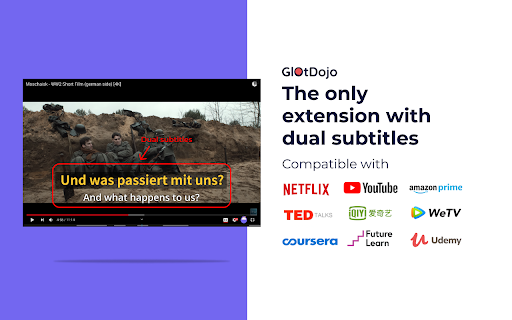
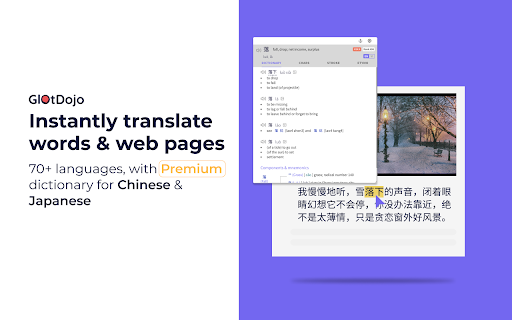
I can't translate from kazakh and such languages... kinda useless for me moreover, it DOESN'T translate if a YouTube video has no caption. The only reason to install it is just if you want two subtitles in one screen. anything else is possible from YouTube itself.
doesnt work
not working properly after updating YouTube
not showing extension icon on YouTube videos after the latest YouTube UI update !
I have eJoy works fine, after I download this one, no any of them work again. so I had to remove it
I can't see the little icon to activate the extension when i am on netflix. But i can see it on youtube. Why ?
I just want to peacefully use the dual subtitles feature, but the translation popup is very annoying. Edit: Popup is buggy and often shows up when I don't want to, and even when it's turned off. This is even worse in mobile browsers like in Edge Canary, Kiwi, or any mobile browser that supports extension, because the popup constantly shows up with a single tap. I found my workaround which is to delete the pop.html file inside the extension and repack it. Now I can peacefully enjoy the dual subtitle without any popup. Not sure if that's legal, but this could've been better if there's an option to completely disable the popup.
not work on udemy(english to russian)
I can’t log in to the app. It only works as an extension in the browser.
1. Merge glotdojo and ejoy 2. Add subtitle speaker
Permissions (9)
Permissions
Details
| Version | 0.7.21 |
| Updated | Dec 19, 2025 |
| Size | 2.96MiB |
| First Seen | Mar 22, 2026 |
Popular in education




Popular Extensions



