Description


Reviews (8 cached)
3 hours limit max, tf is this
This extension is useless and worthless.
I'm using Supermium browser on Windows 7 Pro. I followed instructions, set an auto task, and nothing happens. Wish I wasn't required to give this review 1 star to enable "Post" button.
Useless. Does not work. Don't bother.
Not working , i have enabled extension and set the time for 1 hour and click all the check box after passing few hours history & browsing data still showing there
not work
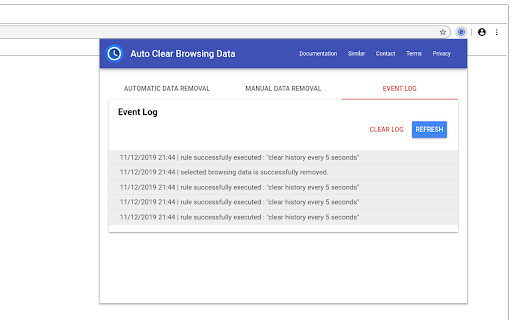
As of 7/18/2023 this extension does not work automatically on a Chromebook running version 114 of browser and ChromeOS. It may work on other OSs and versions, but I would not count on it. The last update was January 20, 2021/ I reluctantly gave it 2 stars because I don't HATE it (Google's ratings s*ck). The intended functionality and user options indicate that it worked under some configurations of OS at one time. If not the developer wouldn't have invested that amount of effort in it. Third party extensions are broken frequently by feature and security changes that Google makes. For this combination of OS and Chrome browser the app doesn't work AUTOMATICALLY. It may have utility for manually clearing data from the browser, but that wasn't what I needed. I can do that with a shortcut to < chrome://settings/clearBrowserData > and one click. I'd revisit this extension to see if there had been any updates or comments from the developer except for the lack of updates for 2-1/2 YEARS. Testing: I used the simplest config, "delete history at browser start". Because the OS IS Chrome, and the "Chrome browser" within it is just a window, I tested three ways: by closing the Chrome window and reopening it, by signing out of the user session and signing back in as the same user, and by shutting down the machine. Each windows opening generated a log entry, but all history remains. I believed the issue might have been that Chrome saves history in the user account settings and re-syncs history after a browser window opens. So it might have replaced missing history from the user profile saved on Google's servers. If so, disabling sync of history under "you and Google". would fix that. So I tried disabling the sync of history. It didn't work. I tried signing into the Chromebook as another user and the back in with my test account. That didn't work. This means that the extension can't delete history from the local copy.
why would you make the user click on a link to download an update from a zip file??
Permissions (5)
Permissions
Details
| Version | 3.0.0.2 |
| Updated | Oct 28, 2024 |
| Size | 1.38MiB |
| First Seen | Mar 29, 2026 |
More by KodeMuse Software Private Limited




Popular in functionality




Popular Extensions




