
⚠️Not updated in over 2 years
Description
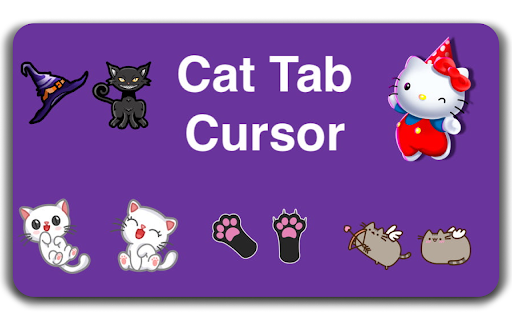
After installing this application, you can choose any of the cursors we recommend. And you can use that cursor actively on all the sites you open.
Cat Tab Cursor featured:
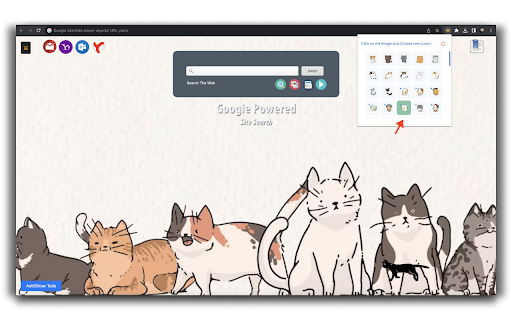
Popular Mail site links: You can reach these sites by using the links in the left corner of the screen.
Bookmark Link: By using the icon on the right corner of the screen, you can access your favorite links that you have added for chrome browser and delete them.
Todo List: You can add new items to your Todo list using the Link in the Bottom Left corner of the screen. You can delete and edit them.
Search: With the search box in the middle of the screen, you can use the search service thanks to the system using Google infrastructure.
You can experience different cursors by choosing from the cursors in the list by clicking the cat tab cursor in your add-on list in the upper right corner of your chrome browser during application installation.
If you want to contact us about anything. You can use mosesarlie4@gmail.com.

Reviews
Loading reviews...
Permissions (4)
Permissions
activeTabℹ Can access the current tab when you click the extension bookmarksℹ Can read and modify your bookmarks storageℹ Can store data locally in your browser webNavigationℹ Can monitor navigation events
Details
| Version | 1.2 |
| Updated | Aug 23, 2023 |
| Size | 3.11MiB |
| First Seen | Mar 26, 2026 |
Popular in workflow

Adobe Acrobat: PDF edit, convert, sign tools
by Adobe Inc.
331M
★ 4.40
workflow
331M
★ 4.40
workflow

Chrome Remote Desktop
by Chrome Remote Desktop Release Managers
38M
★ 3.14
workflow
38M
★ 3.14
workflow

Microsoft Single Sign On
by Microsoft
36M
★ 2.27
workflow
36M
★ 2.27
workflow

MetaMask
by metamask
13M
★ 2.68
workflow
13M
★ 2.68
workflow

Microsoft Power Automate
by Microsoft Corporation
10M
★ 1.99
workflow
10M
★ 1.99
workflow
Popular Extensions
Adobe Acrobat: PDF edit, convert, sign tools
by Adobe Inc.
331M
★ 4.40
workflow
331M
★ 4.40
workflow

Grammarly: AI Writing Assistant and Grammar Checker App
by Grammarly
42M
★ 4.50
communication
42M
★ 4.50
communication
Chrome Remote Desktop
by Chrome Remote Desktop Release Managers
38M
★ 3.14
workflow
38M
★ 3.14
workflow
Microsoft Single Sign On
by Microsoft
36M
★ 2.27
workflow
36M
★ 2.27
workflow

Cisco Webex Extension
by cisco.chromestore
23M
★ 2.34
social
23M
★ 2.34
social