Description
Reviews (33 cached)
very bad
not a grey. not a dark. piece of sh. just almost the same sh-*, that chrome already have out of box
don't look same at all
doesnt work for windows.
Nav bar is white today, removed and never going to install again
just untidy
Used to love it, however out of nowhere now the font for the download time and etc. shows in dark grey as well and not fully visible with the dark grey bar...
It was great, but then, they changed the "back arrows" and left them dark, you can't see it properly.
This was a perfect theme, but the webpage titles are borderline unreadable with the new changes, and the Minimise/Restore/Close buttons are unattractive.
I used to love this theme but I can't read the tabs anymore with the new text color. Please go back to just plain white.
tab names are broken for current version of chrome
Darker than other alternatives but the backward and forward icon is too similar, you can't see if backward is available or not.
I tried to like it - but I suddenly felt - like an apple user. So I had to uninstall it.
thanks for the unnecessary update... or may be the chrome update is to blame. anyway, the theme is now ugly. switched to a different one.
Decent, but the back buttons are permanately grayed out. Found "Material Dark" by Forzando Studios much more useful and it cuts down on the light even more.
right top three white box, why ? bad.
difficult to see link address on bottom
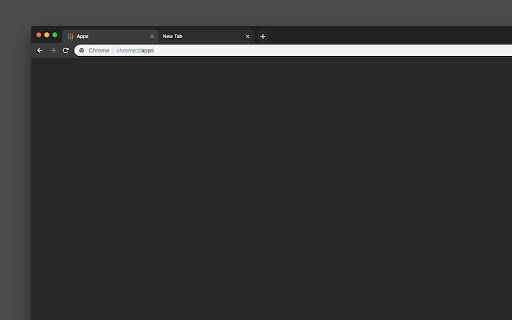
I really enjoy this theme and I'm grateful that you've made it accessible to everyone. However, I'm facing difficulty in adding the 3 colorful dots located at the top left. It feels incomplete without them. I'd be willing to upgrade my rating from 3 to 5 stars if you could provide assistance with this. Thank you.
i dont get the green amber and red colours in the top right
Its not as dark as I wanted it to be and Its more of a dark greenish color on the google search website.
Everything great, except pages with search resultsts. They are white as snow; my eyes are tired.
This does exactly what I wanted, except for the animated "view today's doodle" button. If I could turn that off it would be perfect.
To identify the current tab, either I have to fold the display lid little bit or raise my head up and down. Should be distinguished the Active tab and Inactive tab. Of course, It's visible in particular angle of display, and that angle may not suitable/convenient for user.
I love it with one exception...the active tab is not distinguishable from the others. This is a major drawback IMO, it's the only complaint I have, but it's important enough to me that I'm switching to a different theme. I'll check back periodically in hopes it gets fixed.
i hope exit minimize in the top right corner buttons are also include
Hello, the dark theme is very useful, but I can hardly figure out which one is activated tab.
The update caused the Minimise/Restore/Close buttons at the top right to recolour and it looks terrible! Will there be a recolour back to the original for those 3 buttons?
Has one problem inactive tab title can't be seen.
My favorite theme by far, but as of today the background tabs' text is almost impossible to see. Please fix!!
It was great, but the new update broke the tab bar and now it's white, only the homepage has the theme now.
Style is inverting standard blue favicons in the settings/download section and etc. to the green colour. It would be nice to see that fixed :)
Its looks great.
Not liking the Windows 7-esque buttons, try using more clean ones like the ones you find in Windows 10 please.
Details
| Version | 2.60 |
| Updated | Sep 11, 2018 |
| Size | 78.29KiB |
| First Seen | Mar 22, 2026 |
Popular in dark





Popular Extensions




