
Beautify Post
Description
Reviews (22 cached)
Very poor management. Not working at all
Used to work earlier but now its not working
Not working.
Merely bolding text adds to the character count of the post, thus requiring me to delete some of the content of te post. This makes no sense. Its unfortunate, because I like the idea. If you fix this, in other words, change the fonts without changing the character count, let me know and I'll try it again. For now, this is a deal breaker for me
It doesn't work form Mac.
It stopped working. Previously I enjoyed this extension but something went wrong.
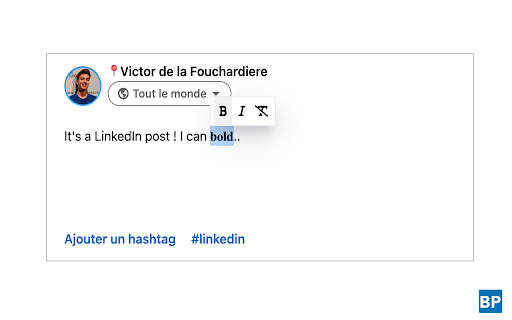
Does not work for me. Highlighted text but nothing appeared for me to select the formatting.
Doesn't work.
Does not work. Installed per instructions; select text ==> no widgets. Use Cmd-K or Cmd-I ==> no change. VERY disappointing.
Does not work. Yes, I did close Chrome down and reopen it. Apps only get one chance - I gave it two. I will now delete it.
Does not work at all
It is not working
It's great when it works but it only seems to work 10% of the time. Not sure how to make it work consistently, have tried altering the setting but no impact.
Most of the time it didn't work.
Trying to italicize a title in Portfolio editing box with Beautify Post pinned next to Brave extension icon on top right and nothing appears inside the edit box. Tried multiple ideas I had, no avail. May try opening linkedin using chrome. blah
Not working for me. Im in side of the post box and selecting words and nothing.
It doesnt work on non-latin alphabets like Persian
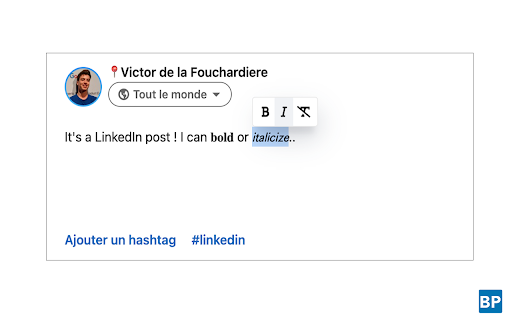
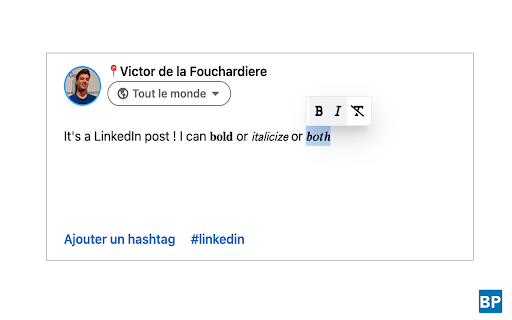
Would need to allow for keeping the sans-serif default font. Changes the bold text to a different serif typeface which looks wrong. I am on a Mac using Chrome.
It works but bolding changes the font. Can we get this fixed?
It does the job, however for my purposes (LinkedIn) the extension converts the font to serif when applying formatting. I would want it to keep the original font (sans).
Doesn't work in comments.
Doesn't work within comments, just posts.
Details
| Version | 1.2.0 |
| Updated | Apr 17, 2024 |
| Size | 99.89KiB |
| First Seen | Mar 21, 2026 |
Popular in developer





Popular Extensions




