
Description

Reviews (21 cached)
Hot garb
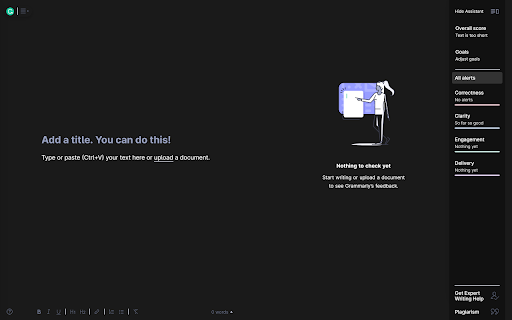
I was expecting for the entire screen to go dark, not just bits of pieces of it.
pretty useless.
only partially works
This sucks
The extension was breaking my Grammarly. Some parts were glitching and fading into white, the text became invisible, and the home menu did not work. If this gets patched I will try using this extension again.
Really wish this app was updated as it's the only way I know to make Grammarly go in dark mode. I've used it for years and at this point I'm most likely going to uninstall since it just seems more buggy than it's worth :(
There are many issues.
The extension isn't working. As time goes by the assistant became white, then the header and the footer became white as well. This is not working, despite what Bart stated. He told us here that he upgraded the extension, but that is not true..
Cant see anything from the fixture suggestions after applying this (first month it worked almost flawlesly), I would not recommend
doesn't work
white bars on the top and bottom of the screen. almost, if not worse, than just using grammerly normally
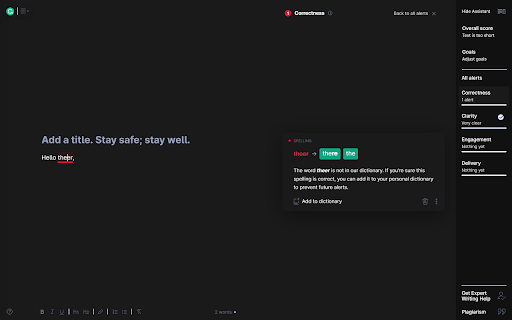
It partially works. Grammarly Dark does not apply Dark Mode to the entire page but primarily to the body text section. The dark mode is not applied to the title section, font section, or the assistant tab, leaving Grammarly as a black-and-white mess.
Not working completely.
Everything but one thing worked. The top, side, and a portion of the bottom of the document were still white. Like a mixture of light and dark modes. I was so excited to use this one too because the others didn't even let me open my documents.
It works but It's very unreadable.
The extension is not working, with the text being hard to read because the text is not correct for the background, and half the screen is white.
Unfortunately, this application does not operate in our country; it is impossible to activate!!! Frequently encountering this problem. What humiliation is it? For favor, please, include and adjust the activation through “Google account” immediately! It is grateful for Your activation!
Its great until Grammarly updates their website and the extension needs an update to keep functionality. it used to have pretty frequent updates (every couple months) but its been a while now and its stopped working entirely. :(
Sidebar is white, like someone else has said.
ok, don't know why you need a extension for this. just download one for all websites, like dark reader, and press alt+shift+d and then presto there you go. don't know why i need this
Details
| Version | 1.0.13 |
| Updated | Feb 18, 2026 |
| Size | 13.82KiB |
| First Seen | Mar 24, 2026 |
Popular in accessibility


Popular Extensions



