
⚠️Not updated in over 2 years
Description
💡Unlock the world of e-learning with DeBabel.💡
DeBabel is the ultimate tool for global e-learning. With our extension, you can easily translate Udemy captions into multiple languages with the power of the DeepL API. Never let language barriers hold you back again.
⭐How to Use⭐
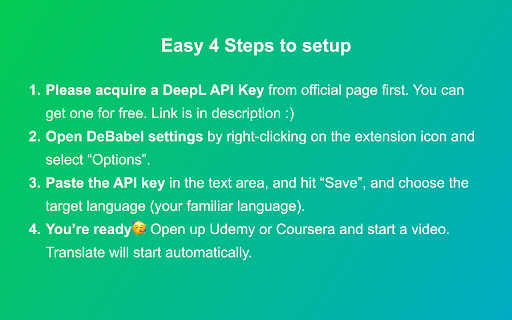
1. Please acquire a DeepL API Key from official page first. You can get one for free from here (https://www.deepl.com/ja/pro-api).
2. Open DeBabel settings by right-clicking on the extension icon and select “Options”.
3. Paste the API key in the text area, and hit “Save”, and choose the target language (your familiar language).
4. You’re ready🥳 Open up Udemy or Coursera and start a video. Translate will start automatically.

Reviews
Loading reviews...
Permissions (1)
Permissions
storageℹ Can store data locally in your browser
Details
| Version | 3.0 |
| Updated | Jan 30, 2023 |
| Size | 2.3MiB |
| First Seen | Mar 22, 2026 |
Popular in accessibility

Read&Write for Google Chrome™
by Texthelp
17M
★ 3.44
accessibility
17M
★ 3.44
accessibility

SYTools
by wasaby
4M
★ 3.16
accessibility
4M
★ 3.16
accessibility

Screenshot Tool - Screen Capture & Editor
by screenshot-tool.app
1M
★ 4.70
accessibility
1M
★ 4.70
accessibility

Помощник диагностики
by kontur.extension
1M
★ 3.00
accessibility
1M
★ 3.00
accessibility

WebCRX
by webcrx
1M
★ 4.87
accessibility
1M
★ 4.87
accessibility
Popular Extensions

Adobe Acrobat: PDF edit, convert, sign tools
by Adobe Inc.
330M
★ 4.40
workflow
330M
★ 4.40
workflow

Chrome Remote Desktop
by Chrome Remote Desktop Release Managers
38M
★ 3.14
workflow
38M
★ 3.14
workflow

Cisco Webex Extension
by cisco.chromestore
24M
★ 2.34
social
24M
★ 2.34
social

Kami for Google Chrome™
by Kami
17M
★ 4.56
education
17M
★ 4.56
education
Read&Write for Google Chrome™
by Texthelp
17M
★ 3.44
accessibility
17M
★ 3.44
accessibility