
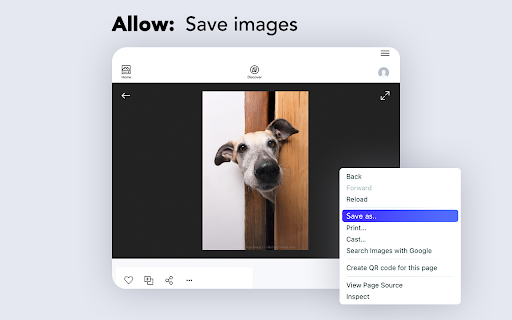
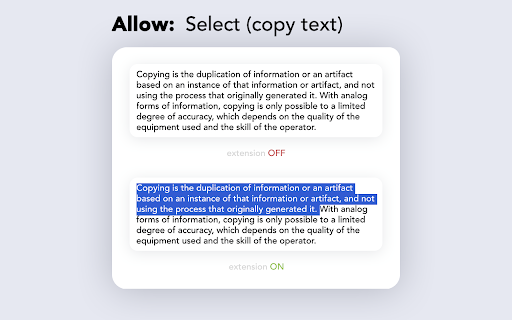
Enable right click - allow copy & select
Description

Reviews (40 cached)
Doesn't work
Disables suggestions drop down list and javascript on-screen keyboard functionality
have spyware ad
Adware. Now attempts to load shady sites at random when you start the browser. Cannot be trusted.
This is an adware app. It opens ads sometimes when you open the browser
Opens random websites eg: boooostsound .com
As others have mentioned already, this extension will open up a chrome tab with an advertisement page on browser startup. While the extension does do what it is supposed to, I would not trust the developer to refrain from doing something more malicious later on if they are willing to secretly make their extension open tabs to show ads without permission while not disclosing it to the users.
its malware, redirects to adverts when you open chrome. uninstall it.
Opened my browser today to an add for another app - https://boooostsound.com - opened in a new tab. A google search pointed to this extension, apparently this is something that many others have happening as well. It's a free plugin, so I would be ok if they made some money by pushing an occasional add, but there is no branding on the page to indicate that it was from this plugin. Looking through the plugin settings as well as the listing, I was unable to find any transparency that this would be happening. What's more, it's being submitted with a token, assumedly to identify me. If that's the case, the listing on the web store states "This developer declares that your data is... Not being used or transferred for purposes that are unrelated to the item's core functionality" - pushing an identity to another developer seems very unrelated to the core functionality of the plugin. Additionally, why is my browser history needed to copy data on the currently-open page?
I can confirm Spyware/Malware/Adware behavior. I can't believe it's a featured extension.
Hijacks your browser when launching and redirects to an advertisement page. Do not install.
Spyware/Malware/Adware. See other comments. I hope you get banned from the Chrome web store.
Spyware/Malware/Adware. See other comments. I hope you get banned from the Chrome web store.
SPYWARE see other recent comments for more info
SPYWARE On browser startup it sends a POST request to "boostgroove com/install" which is domain registered a few weeks ago (potentially domain hopping because the last one was terminated for being malicious), sending who knows what, then fetches some other URL and opens a new tab with it.
adware
It is an ad-ware. You will randomly have a new tab pop-up ad of Adblocker Max(wow, an ad of an adblocker) and Sound Booster or something when you open the browser. Just uninstall it!!
I've been having increasing problems with my Google Chrome...maps I can't move around, X/Twitter I couldn't click on links or change volume of videos, etc. After an hour of turning dozens of extensions on and off, I isolaed it to this extension. Please fix this because before this problem, it worked great. Now, it ruins your Chrome if you turn it on.
Opens a tab to something called adblocker max which is ultra sus, there are many extensions like this one, just pick a different one
"This extension is nothing but a sneaky adware and possibly a browser stealer. It randomly pops up tabs asking to install shady software like 'AdBlocker Max' from adblockermax.com, which is linked to adlbocker— a known browser stealer. Who knows what else it's doing in the background? If you're using this, REMOVE IT IMMEDIATELY before it messes with your browser, steals your data, or even worse, compromises your accounts. Google needs to take action against such misleading extensions. 0/10, would not recommend.
Popped up a tab to "Install Adblock Max: Ad Blocker for YouTube" at site adblockermax.com. Removing.
it made a popup tab ad appear asking me to "Install AdBlock Max: Ad Blocker for YouTube". it looks malicious.
randomly opening ad tabs
curser is not working when this extension is on
Doesn't work half the time, and the other half I have to manually activate it for each individual website
Does not work
As of version 1.0.5, updated on March 12, 2024 this extension tracks your data to "https://allowclick.com/api/config?id=" URL. You can download the .crx file for the extension, and examine the background.js file. This directly contradicts the proclaimed "The developer has disclosed that it will not collect or use your data".
Didn't work on embedded Google Maps when trying to copy an address on a pop-up.
The extension is triggering anti-malware software. It also triggered uBlock Origin (anti-adware, anti-tracking) as a Badware risk. I do not believe this to be a false flag. After years of using the Enable Right Click extension, I have removed the extension and reported it to Google. I encourage other users to take the same actions.
Getting warnings from Malwarebytes about this extension trying to connect to a website: ww25.enablerightclick.xyz . Malwarebytes categorizes this site as phishing; when you visit it in a normal browser no page is shown. Visiting www.enablerightclick.xyz triggers multiple redirects all of which are blocked by uBlock Origin. Would not install this extension as it's doing a lot of shady stuff in the background and is likely selling your browsing data. Reported to Google as malicious.
It tries to open risky websites. For example, it tried to open a website enablerightclick(dot)xyz which redirected to another website to flanru(dot)com, which again redirected to another website. Could the developer of the extension please disable this spammy behavior?
not working
blocks the slider in video players, for example on youtube
If you find odd video in your youtube history its because this extension is a click farm
Does not work on creativefabrica.com but the Extension does say it doesn't work on some websites. Bummer! Tried both Unblock options and restarting browser.
Not working. Is either a result of a recent system update, or, a recent Chrome update.
This extension enables downloading videos from some streaming websites, but it has to be manually activated every time. It breaks the search box and the New button on the Google Drive home page.
It works, which is more than I can say about most other similar extensions. But I wish it would apply globally (to all websites).
It is really surprising that "Unblock Mode" nullifies keyup/keydown event! Although the extension is named "Allow right click". Key events definitely should be controlled by another config option.
works good, but making a problem in videos embedded in sites' if enabled, you cannot move forward the video by clicking on progress bar with the mouse. (could it be conflicting with another extension?)
Permissions (4)
Permissions
Details
| Version | 1.0.8 |
| Updated | Mar 24, 2025 |
| Size | 61.29KiB |
| First Seen | Mar 22, 2026 |
Popular in accessibility



Popular Extensions



