
⚠️Not updated in over 2 years
Description
This is a shortcut to Localhost with a port option. Nothing special...just something useful.
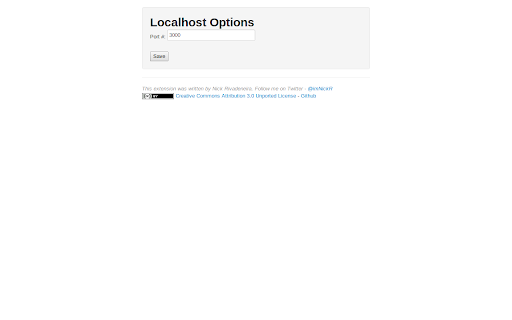
Once installed, the server icon will show up as an app on your New Tab apps page, making it easier and faster to access your local development environment. If you need to change the port, just go to the options from the Extensions page in Chrome.
v1.0.4 changes the default port from 3000 to 80. (thanks richard-parnaby-king)
Reviews (3 cached)
★☆☆☆☆2013-08-23
Alvaro Guevara
DOES NOT WORK ON 3000 OR 80
★☆☆☆☆2012-10-31
Kamil Warguła (quamilek)
save port number not working
★★☆☆☆2015-11-23
EAGLE CREATIVE
New google chrome update Shows This webpage is not available ERR_CONNECTION_REFUSED
Details
| Version | 1.0.4 |
| Updated | Nov 20, 2014 |
| Size | 40.08KiB |
| First Seen | Mar 22, 2026 |
Popular in developer

Lighthouse
by lighthouse-extension-owners
1M
★ 4.42
developer
1M
★ 4.42
developer

Контур.Плагин
by kontur.extension
1M
★ 3.11
developer
1M
★ 3.11
developer

Similarweb - Website Traffic & SEO Checker
by Similarweb
1M
★ 4.66
developer
1M
★ 4.66
developer

SEO META in 1 CLICK
by Bilal Hadri
900K
★ 4.87
developer
900K
★ 4.87
developer

影刀RPA
by sanco1987
900K
★ 3.46
developer
900K
★ 3.46
developer
Popular Extensions

Adobe Acrobat: PDF edit, convert, sign tools
by Adobe Inc.
330M
★ 4.40
workflow
330M
★ 4.40
workflow

Chrome Remote Desktop
by Chrome Remote Desktop Release Managers
38M
★ 3.14
workflow
38M
★ 3.14
workflow

Cisco Webex Extension
by cisco.chromestore
24M
★ 2.34
social
24M
★ 2.34
social

Kami for Google Chrome™
by Kami
17M
★ 4.56
education
17M
★ 4.56
education

Read&Write for Google Chrome™
by Texthelp
17M
★ 3.44
accessibility
17M
★ 3.44
accessibility