
Description
Reviews (14 cached)
DOesn't work with chromeos.
It does not work on MAC!!!
I am using Mac + Chrome (v 54.0.2..) HostAdmin Icon does not appear on Chrome toolbar :( Cannot use it. In Firefox this app works fine
It says it compatible with my device but does not work with Chromebooks. only standard Linux, mac and windows. bummer, i was hoping to have something like this for chromeos
it tried to get me to delete system 32 witch is the startup file on your windows computer im at school currently and these computers can be up to 700 too 800 dollars i would recomend looking aat the rates before anything bad happens to any of you guys good luck
Stupid developer!!!
Does not show access to a directory with hosts file in it.
Need administrator permissions for edit system hosts file; i can edit it also without use this extension
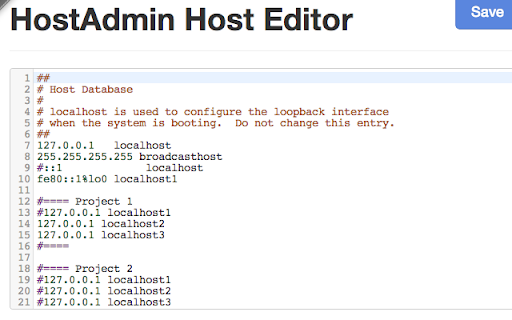
What was wrong with the extension? I have to open another window to see hosts, that not cool! Firefox extension is much better, this here sucks.
hard to use... please rollback....
This is a large step backward from the hostadmin extension. You can't see contextually which IP the current domain is being resolved to because there is no icon next to the URL bar. It also requires more steps to get to or it hogs a space in my dock. 2 stars because it at least works.
The old way with an icon was waaaay more usable. Why convert a simple thing like this into an app? Just a degradation really.
I like being able to quickly enable and disable entries in my hosts file. I don't like that it hides the comments I write into my hosts file. Overall, it is a touch better than editing in Notepad++
Icon next to the URL bar is missing in the app. It was there in the extension, Which really helped to know the IP.
Permissions (1)
Permissions
Details
| Version | 1.5.0.1 |
| Updated | May 4, 2014 |
| Size | 172KiB |
| First Seen | Mar 22, 2026 |
Popular in developer





Popular Extensions




