
Description
Reviews (16 cached)
ChromeOS 140.0.7339.242 (Official Build) (64-bit) not working There is already a GitHUB issue raised recently about this.
(Jingle Bells) junk junk junk---junk junk junk---junk junk junk junk junk---junk junk junk, ja ja junk junk junk---ja ja junk junk junk junk junk. You can say that you tested it---until you're blue in the face, but it doesn't change the fact that it does squat for most of your user base.
I got this extension, as many others others probably did, to stop the annoying accidental zoom in or out when touching the touchpad wrong. I have a Logitech keyboard, but I'm guessing this issue also happens on laptops with a touchpad. Installing Zoom Block had zero effect on my ability to zoom in or out using the touchpad. Didn't work in Brave or Google Chrome. You can say that you tested it at the time of this review until you are blue in the face, but IT DIDN'T WORK!!!!!!!!!!!!!!!!!!!!!!!!!!!!!!!!!!!!!!!!!!!!!!!!
Doesn't work at all, on multiple sites and pages.
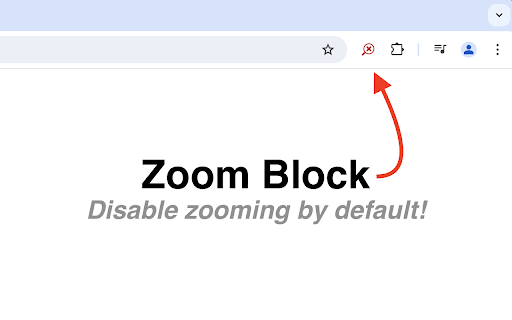
I definitely like that zooming is disabled in Chrome by default. I have been plagued by "random and inopportune" zooming, especially when I use any of my laptops, each having a track pad between me and the keys. I'm sure that I'm the cause the zooming and have been wanting to disable zooming for a long time. 1) After installation, the icon didn't show up on the toolbar as shown in the description. After some hunting, I ended up at the extension settings and saw it was on, but it wasn't set to be pinned to the toolbar, so I enabled that setting. 2) The icon was grayed out on my current tab (the extension settings). While the description doesn't say it works with ALL Chrome pages, I assumed it did from the description. After more hunting, I found that one of the FAQs stated that the extension does not work with some pages, including Chrome settings. It also doesn't work on the Chrome Web Store page. 3) When Zoom Block is disabled on a tab and is Chrome closed, Zoom Block is enabled in the tab when Chrome is started, with "Continue where you left off." It'd be nice if the setting was "preserved" for each tab Don't know if this same issue happens after Chrome crashes, after Chrome restarts from an update, a tab is reopened after closing, or after being closed on Windows shutdown. There's probably other situations. Will try to add to issue site for consideration. P.S. Definitely doesn't fully work on Chrome. Unfortunately don't know what I did to cause the pane to zoom to ~110%, although I'm sure it has something to do with the track pad and me typing. Extension was enabled and Chrome was on a "regular" page, Yahoo mail. Chrome said it was still zoomed to 80% and the zoom setting was locked. Only restoration was to close Chrome and start it to get the affected tab back to 80%. After disabling the extension, I was able to change the zoom setting. I did update Chrome earlier today.
Just doesn't work
Unfortunately it has now stopped functioning in Chrome 140+. It was 5 starts for the last 5 years, prior to now.
does not work at all
Doesn't work, and slows down mouse responsiveness
Blocks nothing. Browsers continues to zoom in when the focus is placed on the text input field which would be ok if the browser didn't zoom so far in and reverted to the previous zoom level once focusing on the main portion of the page, but that's not what happens. This extension does nothing at all.
Don't work on Pixel Slate...
I wanted to lock it at 80%. This app is of no help what so ever!
Does not appear to be working on Chrome 123.0.6312.22 for me (under Linux).
Need to set zoom on a per site basis not per tab basis.
Blocks accidental control + mousewheel zooming. However, it doesn't remember any websites that you intentionally want to zoom. You can temporarily turn it off but if you go back to a website its turned on again.
Works, but normal scrolling is blocked when holding down the Ctrl key. "Disable Scroll Wheel Zoom" is an alternative extension that solves this problem: https://chrome.google.com/webstore/detail/disable-scroll-wheel-zoom/mdpfkohgfpidohkakdbpmnngaocglmhl?hl=en&authuser=0
Permissions (1)
Permissions
Details
| Version | 2.0.0 |
| Updated | Aug 11, 2024 |
| Size | 36.94KiB |
| First Seen | Mar 21, 2026 |
Popular in accessibility



Popular Extensions



