
Description

Reviews (31 cached)
I don't know how to report issues, so I'm leaving a review I guess? The extension stopped working today. Youtube TV videos only play for a few seconds then I get a big QR code saying an error has occurred. Nothing I try to do (Including trying other devices) is fixing it - this might be due to either a Chrome or Youtube update? I have used this extension/Youtube TV on my laptop every single night for years and it has become very ingrained into my routine so hopefully it gets fixed soon.
Not Working
No Longer works. Not updated.
bad resolution
Why does this plugin needs access to all website, why not restrict it just to youtube domains?
Doesn't work at all. Youtube.com/tv immediately redirects to desktop version. Fix this garbage or take it down.
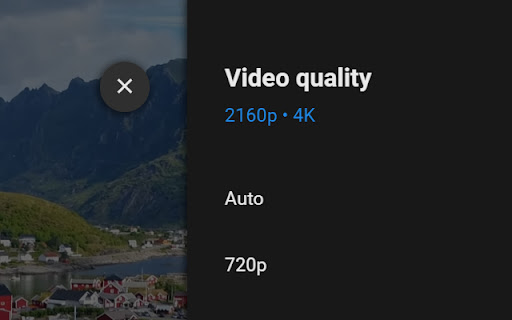
Followed all instructions. Videos start in 720p, no higher quality options are available.
Doesn't work
Doesn't work anymore due to Youtube updating their website. Redirects you to a screen saying "You are being directed to youtube.com. For a better experience, check your device's app store for the official YouTube app."
doesn't work, videos won't play
doesnt work at all
It now longer works, just redirects me to the regular youtube website for a better experience, which it's not!
it doesnt bypass youtube tv limitation for quality. It's max 480p
movies take forever to load and sometimes dont even load, only got it to work once :( i just wanna watch them in 1080p man
Very confusing. I can't tell if this app is for YouTube or YouTube TV. If it's for YouTube TV, it doesn't work. Please make less confusing documentation.
still no highest quality for me on normal youtube website i see that the video is 1080p and in the website (app) it is 720p no option to do it manualy ether maybe add buttons too force high quality?
This extension is great and does everything it's supposed to, until it just doesn't. If you are having issues with the video playback just showing "An Error has Occurred" after a few seconds into every single video, there are hundreds of other people having the same issue, and if you aren't having that issue, you will be very soon. Edit, If you wish to continue using YoutubeTV you should look into marcosrg9's open source Youtube TV app. See here https://github.com/marcosrg9/YouTubeTV
It works, but not higher than 720p
can't be more than 720p HELPPP
It works, but the highest quality available is 720p. Can you make it simulate a better TV?
it allowed me to boot into youtube's tv mode, but whenever I try to play a video it asks me to sign in (or use a guest account), so I use the guest account and it flickers from starting the video, and then back to sign in. I choose a user, it repeats, etc. a good start. any suggestions?
Even on the desktop version it changes it to the highest video quality.
It works, but max quality only goes up to 720p no matter what I do, and 60fps videos don't work.
Hey thanks for this, however is there any way for it to work at 21:9 on an ultrawide monitor? Only displaying as 16:9 for me and am getting horizontal and vertical black bars on videos.
Im sure the app is great but I cant play any video anytime i try it automatically goes to the end and back to the home screen
I sadly am not able to use Fullscreen Mode, nothing works, pressing F11 does nothing, pressing F11 on another tab and using Crtl + Shift + Tab, it just skips the tab... sadly not able to use it the wanted way but its still good that you could still access it even without Fullscreen
Youtube url doesn't work anymore. "You are being directed to youtube.com For a better experience, check your device’s app store for the official YouTube app."
The application is not bad, but one question annoys ... How to enable full screen mode?
does it can cast on a android device? like showing its code to connect youtube on other devives?? please do help
it works but.. it cannot link to a phone, please fix this
only 480p :/
Permissions (1)
Permissions
Details
| Version | 0.9 |
| Updated | Jun 18, 2025 |
| Size | 43.95KiB |
| First Seen | Mar 21, 2026 |
More by Danny Keeley

Popular in fun





Popular Extensions




