
✅Recently updated
Description
The most powerful Chrome extension to convert PDF to Markdown instantly. Transform any PDF to MD with AI-enhanced formatting preservation for GitHub, documentation, and note-taking apps.
🚀 Convert PDF to Markdown - Fast, Accurate, Private
Our PDF to Markdown converter is the #1 choice for developers and professionals. Convert PDF to MD files with one click - no uploads, no waiting. Whether you need to convert PDF to Markdown for GitHub projects, transform PDF to readme.md files, or extract content for Obsidian, our PDF to Markdown online tool delivers perfect results every time.
⚡ Best PDF to Markdown Converter Features
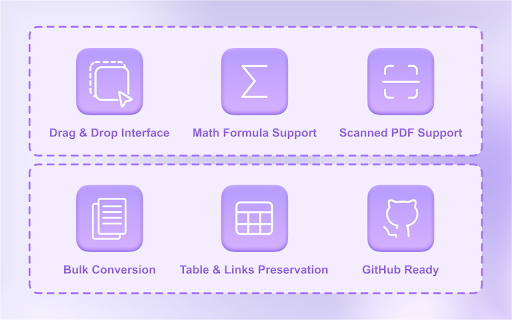
1. 🔒 100% Private & Offline - PDF to Markdown conversion happens locally - your files never leave your browser
2. ⏱️ Instant Conversion - Convert PDF to MD in seconds, not minutes
3. 💻 Code Block Preservation - Perfect PDF to Markdown with code blocks for developers
4. 📊 Table Conversion - Accurate PDF to Markdown tables that work in GitHub
5. 🎯 GitHub Flavored Markdown - PDF to GitHub Markdown with perfect formatting
✨ Powerful PDF to MD Converter Capabilities
• PDF to Markdown Online - Works directly in Chrome, no downloads needed
• Image Extraction - Extract and preserve images during conversion
• OCR Support - Convert scanned documents using advanced text recognition
• Batch Processing - Bulk convert multiple files at once
• Format Preservation - PDF to Markdown with formatting intact
• API Access - Programmatic access for automation (coming soon)
🎓 Who Uses Our PDF to Markdown Tool?
• Developers - Convert to GitHub Markdown, readme.md files, technical documentation
• Researchers - Academic research paper conversion
• Technical Writers - Documentation converter, user manual transformation
• Students - Textbook to MD, notes to MD for studying
• Content Teams - Markdown generator for blogs, wiki content
🛠️ Advanced Features
• Scanned Documents - OCR-powered conversion for non-text documents
• Mathematical Equations - Preserve equations and LaTeX formatting
• Link Extraction - Maintain all hyperlinks and references
• Header Preservation - Perfect heading structure maintenance
• List Conversion - Accurate bullet and numbered list transformation
📝 Popular PDF to Markdown Use Cases
• PDF to readme.md - Convert documentation to GitHub README files
• PDF to GitHub Flavored Markdown - Perfect for repositories and wikis
• Jekyll Compatible - Static site generator ready output
• Hugo Ready - Blog-ready content conversion
• API Documentation - Technical docs transformation
🔧 Integration Options
• Chrome Extension - Native browser integration
• CLI Compatible - Command line ready output
• Python Compatible - Works with your scripts
• JavaScript Friendly - Web development ready
• Desktop Alternative - Better than traditional software
Frequently Asked Questions
How to convert PDF to Markdown?
Simply install our PDF to Markdown Chrome extension, click the icon, and drag your PDF. The conversion happens instantly in your browser.
What's the best PDF to Markdown converter?
Our Chrome extension is the top-rated PDF to Markdown tool with perfect formatting preservation, OCR support, and complete privacy.
How to convert PDF to Markdown with images?
Our converter automatically extracts and preserves images, maintaining their position and references in the output.
Can I convert PDF to GitHub Markdown?
Yes! We generate GitHub Flavored Markdown with proper code blocks, tables, and formatting that works perfectly in GitHub repos.
Does PDF to Markdown OCR work with scanned documents?
Absolutely. Our scanned document feature uses advanced OCR to extract text from image-based PDFs.
How to preserve formatting?
Our tool preserves all formatting including headers, lists, bold, italics, tables, and code blocks during PDF to MD conversion.
Additional Capabilities
• Batch Conversion - Process multiple files simultaneously
• Offline Mode - Works without internet connection
• Structure Preservation - Maintains document hierarchy
• Table Formatting - Perfect table conversion
• Workflow Automation - Streamline your process
Whether you need a simple PDF to Markdown tool, professional PDF to Markdown software, or the best AI-powered converter for technical documentation, our Chrome extension delivers unmatched accuracy and speed with intelligent content recognition.
🏆 Install the #1 PDF to Markdown Converter - Join thousands using the most powerful PDF to MD tool available!

Reviews
Loading reviews...
Permissions (1)
Permissions
storageℹ Can store data locally in your browser
Details
| Version | 1.0.4 |
| Updated | Feb 27, 2026 |
| Size | 306KiB |
| First Seen | Mar 28, 2026 |
Popular in tools

Zotero Connector
by Zotero
8M
★ 3.96
tools
8M
★ 3.96
tools

Browsec VPN - Free VPN for Chrome
by Browsec
7M
★ 4.44
tools
7M
★ 4.44
tools

AnyDoc Translator - Translate Web and PDF
by www.wps.com
7M
★ 4.59
tools
7M
★ 4.59
tools

Microsoft Bing Homepage & Search for Chrome
by Microsoft Corporation
4M
★ 3.72
tools
4M
★ 3.72
tools

IE Tab
by Blackfish Software
4M
★ 4.31
tools
4M
★ 4.31
tools
Popular Extensions

Adobe Acrobat: PDF edit, convert, sign tools
by Adobe Inc.
331M
★ 4.40
workflow
331M
★ 4.40
workflow

Grammarly: AI Writing Assistant and Grammar Checker App
by Grammarly
42M
★ 4.50
communication
42M
★ 4.50
communication

Chrome Remote Desktop
by Chrome Remote Desktop Release Managers
38M
★ 3.14
workflow
38M
★ 3.14
workflow

Microsoft Single Sign On
by Microsoft
36M
★ 2.27
workflow
36M
★ 2.27
workflow

Cisco Webex Extension
by cisco.chromestore
23M
★ 2.34
social
23M
★ 2.34
social