
⚠️Not updated in over 2 years ⚠️Requests 1 sensitive permission
Description
show the position and url author name in SERP listing item when you search some keywords, such as "silica sand crusher".
extension will request server to check the url have any author info. if get the url info, will show the url author name in search engine results list or in extension icon. if server have no url info, will not show any author info.
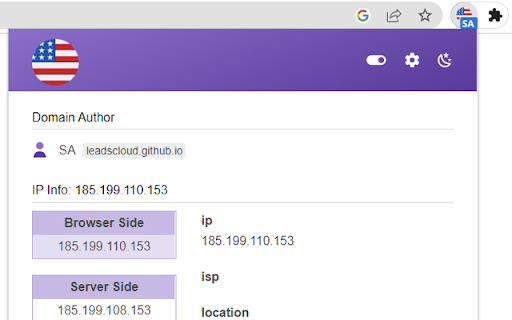
Pop window display Website Country Flag. Website IP info - include: ipv4, ipv6, location, country, asn, port
No personal data will be transmitted or stored. However, extension handles user's settings only to analyze trends for how extension are used.
Privacy Policy – https://leadscloud.github.io/serp-analyzer/privacy.html
Function:
- Google SERP counter. Adds the position of search results next to search results in Google, Yahoo, Bing. This minor feature helps you quickly identify the position of a website in the SERPs.
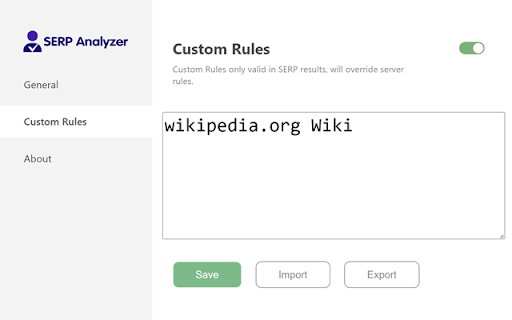
- Adds the author name of search results hostname in SERP results.
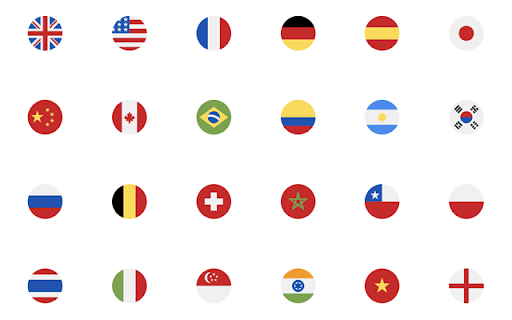
- show website ip country flag.


Reviews
Loading reviews...
Permissions (7)
Permissions
activeTabℹ Can access the current tab when you click the extension background contextMenusℹ Can add items to the right-click menu scriptingℹ Can inject scripts into web pages storageℹ Can store data locally in your browser tabsℹ Can see your open tabs and their URLs webRequestℹ Can observe and analyze network traffic
Details
| Version | 3.3.3 |
| Updated | Mar 28, 2024 |
| Size | 728KiB |
| First Seen | Mar 29, 2026 |
Popular in workflow

Adobe Acrobat: PDF edit, convert, sign tools
by Adobe Inc.
331M
★ 4.40
workflow
331M
★ 4.40
workflow

Chrome Remote Desktop
by Chrome Remote Desktop Release Managers
38M
★ 3.14
workflow
38M
★ 3.14
workflow

Microsoft Single Sign On
by Microsoft
36M
★ 2.27
workflow
36M
★ 2.27
workflow

MetaMask
by metamask
13M
★ 2.68
workflow
13M
★ 2.68
workflow

Free VPN for Chrome - VPN Proxy VeePN
by www.veepn.com
12M
★ 4.51
workflow
12M
★ 4.51
workflow
Popular Extensions
Adobe Acrobat: PDF edit, convert, sign tools
by Adobe Inc.
331M
★ 4.40
workflow
331M
★ 4.40
workflow

Grammarly: AI Writing Assistant and Grammar Checker App
by Grammarly
42M
★ 4.50
communication
42M
★ 4.50
communication
Chrome Remote Desktop
by Chrome Remote Desktop Release Managers
38M
★ 3.14
workflow
38M
★ 3.14
workflow
Microsoft Single Sign On
by Microsoft
36M
★ 2.27
workflow
36M
★ 2.27
workflow

Cisco Webex Extension
by cisco.chromestore
23M
★ 2.34
social
23M
★ 2.34
social