
Description
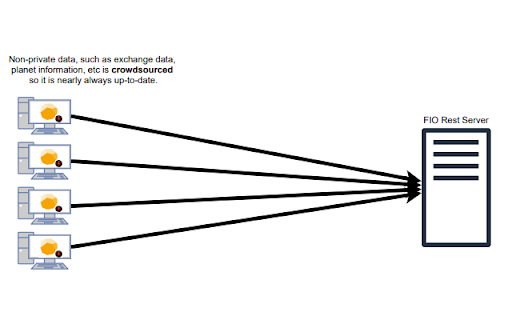
The FIO Client forwards ProsperousUniverse game data to the FIO REST Server so that it can be used in a shared manner. Exchange data, planet data, local market data, among others are gathered in a crowdsourced manner practically guaranteeing that all data on the FIO REST Server is up-to-date.
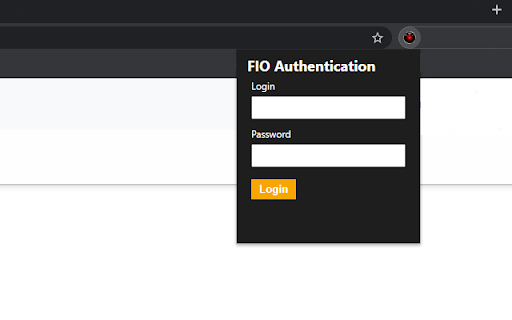
Once properly authenticated, the data can be retrieved using other tools which authenticate against the REST API or FIOWeb which is available at https://fio.fnar.net/
Getting Started:
1) Install the extension
2) Refresh APEX (https://apex.prosperousuniverse.com)
3) Click on the extension icon, and click "Register"
4) Return after registering and login



Reviews (1 cached)
★☆☆☆☆2024-09-28
Bepis M. (Ernie The Mighty)
Permissions: Read your browsing history No thanks. Especially because the privacy policy doesn't state how that permission is treated. Sad, because FIO was so fun and easy to use.
Permissions (1)
Permissions
storageℹ Can store data locally in your browser
Details
| Version | 3.8 |
| Updated | Dec 23, 2025 |
| Size | 152KiB |
| First Seen | Mar 22, 2026 |
Popular in fun

Custom Cursor for Chrome™
by BLife Team LLC
5M
★ 4.67
fun
5M
★ 4.67
fun

Google Meet Enhanced Experience
by niritshlif
1M
★ 3.36
fun
1M
★ 3.36
fun

SuperNova SWF Enabler
by Tactics Technology LLC
400K
★ 2.04
fun
400K
★ 2.04
fun

Custom Cursor Trails
by BLife Team LLC
300K
★ 4.30
fun
300K
★ 4.30
fun

Cursor Style – Custom Mouse Cursors & Trails for Chrome™
by Oleksii Semeniuk
200K
★ 4.79
fun
200K
★ 4.79
fun
Popular Extensions

Adobe Acrobat: PDF edit, convert, sign tools
by Adobe Inc.
330M
★ 4.40
workflow
330M
★ 4.40
workflow

Chrome Remote Desktop
by Chrome Remote Desktop Release Managers
38M
★ 3.14
workflow
38M
★ 3.14
workflow

Cisco Webex Extension
by cisco.chromestore
24M
★ 2.34
social
24M
★ 2.34
social

Kami for Google Chrome™
by Kami
17M
★ 4.56
education
17M
★ 4.56
education

Read&Write for Google Chrome™
by Texthelp
17M
★ 3.44
accessibility
17M
★ 3.44
accessibility