
⚠️Not updated in over a year
Description
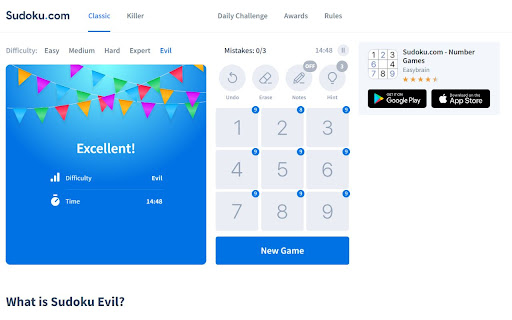
Play Sudoku easier and faster with your keyboard! Could Sudoku.com become the best Sudoku website with keyboard shortcuts for pencil marks?
Shortcuts:
- Hold Shift and press number keys: to place a number as a pencil note (use Shift shortcut for pencil marks)
- Key ` (the key is on the left of key number 1): to toggle pencil marks on and off
- Arrow keys (↑ ↓ → ←): to move the current cursor (active cell).
- Number keys (1 to 9): to place a number. (use Alt shortcut for Digits mode)
- Key - (underscore): to Undo (also use Ctrl + Z)
- Key = (equal): to display Hint
- Key Backspace: to clear (Erease)
- Key X: turn on pencil marks (Notes mode)
- Key C: turn off pencil marks (Digits mode)
What’s New:
- [v1.0.5] Support Numpad
- [v1.0.6] Improve UX of pencil marks, add game tips.
Sponsor: Your support keeps us going and makes a difference.
- Support GoEN on Ko-fi: https://ko-fi.com/goenlab
- Support GoEN on Patreon: https://patreon.com/goenlab
Reviews
Loading reviews...
Permissions (1)
Permissions
tabsℹ Can see your open tabs and their URLs
Details
| Version | 1.0.6 |
| Updated | Feb 20, 2025 |
| Size | 27.87KiB |
| First Seen | Mar 22, 2026 |
Popular in fun

Custom Cursor for Chrome™
by BLife Team LLC
5M
★ 4.67
fun
5M
★ 4.67
fun

Google Meet Enhanced Experience
by niritshlif
1M
★ 3.36
fun
1M
★ 3.36
fun

SuperNova SWF Enabler
by Tactics Technology LLC
400K
★ 2.04
fun
400K
★ 2.04
fun

Cursor Style – Custom Mouse Cursors & Trails for Chrome™
by Oleksii Semeniuk
200K
★ 4.79
fun
200K
★ 4.79
fun

CS.Money Market
by CS.Money
200K
★ 3.03
fun
200K
★ 3.03
fun
Popular Extensions

Adobe Acrobat: PDF edit, convert, sign tools
by Adobe Inc.
330M
★ 4.40
workflow
330M
★ 4.40
workflow

Chrome Remote Desktop
by Chrome Remote Desktop Release Managers
38M
★ 3.14
workflow
38M
★ 3.14
workflow

Cisco Webex Extension
by cisco.chromestore
24M
★ 2.34
social
24M
★ 2.34
social

Kami for Google Chrome™
by Kami
17M
★ 4.56
education
17M
★ 4.56
education

Read&Write for Google Chrome™
by Texthelp
17M
★ 3.44
accessibility
17M
★ 3.44
accessibility