
Description

Reviews (11 cached)
I liked a lot. But it's stop to work in chrome.
The app can't seem to connect to the desktop app "Failed starting connection: Background task failed: Failed to fetch"
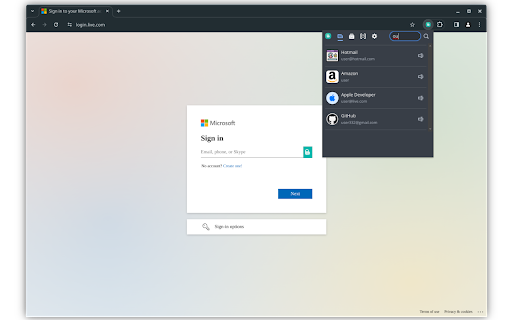
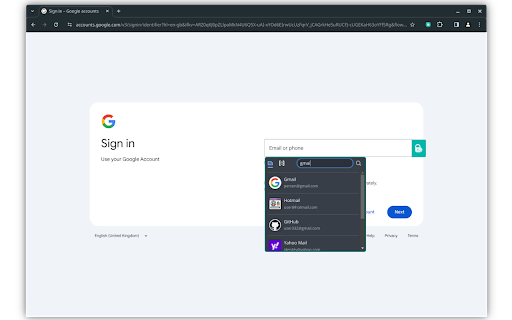
It suddenly upgraded to V3. I previously didn't use desktop app and kept the file in online drive. After installing desktop app and connected to g drive, the app failed to import the old vault file. Took me long enough to finally get it imported. Even after that, the button that usually appears for 1-click login on the web page is gone from it's usual place. I think it got moved to the extension icon. Seriously UX is bad and having to install a desktop app is not really 'light-weight' imo. 100% prefer the old version.
Congratulations you just ruined application with new upgrade. I had to re-import existing vault from gdisk and move all entries manually because new release can't recognize old vault
CPU load always peak whenever this plugin enabled. using chrome Version 90.0.4430.212 (Official Build) (x86_64)
only saves it on other cloud serves. you need to add it and many unnecessary stuff
This new version 3.x is really annoying. The setup with the desktop application has not a good user experience and the popup menu to open and type the password to unlock the vault is not use friendly at all. I think a good enhancement to let the password be typed on addon and sent it throughout the connection to the desktop app. The experience in having to change windows is not that good
It was great, now it is very unstable and always crash
Buttercup itself is a good thing, and also the extension is quite usable. Anyhow there are crucial things that I need to address because they simply annoy me: 1) they change too much of the markup which then could easily be copied into other markup (when editing HTML in the browser). 2) they add ugly CSS classes to forms so some forms around the web will look ugly if they don't make a form unusable in some cases. 3) Buttercup keeps on asking to save a password and there is no way to tell the extensions "never on this page" 4) the Buttercup extension should be deactivatable from the toolbar, so it might be possible to turn it off quickly. 5) Even better, buttercup should stop working on pages that have been marked as "never ask again if I want to save my password for this site". So there's a long way to go – though it's a good start.
it is great but need importer for extensions so people can migrate easily
Does not keep the vault unlocked when closing and reopening the browser although the extension is set to auto-unlock.
Permissions (4)
Permissions
Details
| Version | 3.2.0 |
| Updated | Apr 11, 2024 |
| Size | 3.24MiB |
| First Seen | Mar 26, 2026 |
Popular in privacy




Popular Extensions




