
⚠️Not updated in over a year
Description
This extension adds the power of large-language models (LLMs) to Overleaf.com
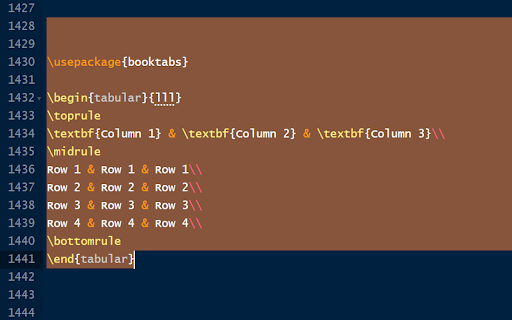
Using this addon, you can select text in Overleaf and ask LLM (e.g., OpenAI GPT) to complete this text or improve it. You write a question for the LLM, select it, and ask it.
After installing the extension, configure it by clicking on its icon, and following the instructions.
Full instructions on the plugin's website - https://github.com/bThink-BGU/LeafLLM
Configuration
**************
The plugin can be configured by clicking the plugin button in the Chrome toolbar.
It requires inserting an API key from OpenAI.
You also need to choose which tools you wish to enable. See below if you have problems using the tools.
Usage
*******
After selecting text, press:
- Alt+A to ask the LLM
- Alt+C to complete the selected text
- Alt+I to improve the selected text
See usage examples at: https://github.com/bThink-BGU/LeafLLM?tab=readme-ov-file#usage
Issues
*******
If nothing happens when you use the plugin, verify that the plugin's shortcuts are not in conflict with other plugins' shortcuts. To do so, go to chrome://extensions/shortcuts.
If you encounter any problem/question, please open an issue in the project's repository.
Privacy
********
The plugin saves its configuration locally on the user's computer. The plugin sends the API key and the selected text to OpenAI only, and only for the purpose it was made for (i.e., completing and improving text and asking GPT questions). The plugin's authors are not responsible for what OpenAI does with this data. The plugin's authors do not collect any data from the plugin's users.


Reviews
Loading reviews...
Permissions (2)
Permissions
storageℹ Can store data locally in your browser tabsℹ Can see your open tabs and their URLs
Details
| Version | 1.4.1 |
| Updated | Jul 23, 2024 |
| Size | 1.49MiB |
| First Seen | Mar 29, 2026 |
Popular in education

Google Translate
by google-translate-chrome-extension-owners
36M
★ 4.24
education
36M
★ 4.24
education

Equatio - Math made digital
by Texthelp
5M
★ 3.89
education
5M
★ 3.89
education

EndNote Click
by EndNote Click
4M
★ 4.06
education
4M
★ 4.06
education

Language Reactor
by Dioco
2M
★ 4.20
education
2M
★ 4.20
education

Mote for Google Chrome™
by Mote Technologies, Inc.
2M
★ 4.55
education
2M
★ 4.55
education
Popular Extensions

Adobe Acrobat: PDF edit, convert, sign tools
by Adobe Inc.
322M
★ 4.40
workflow
322M
★ 4.40
workflow

AdBlock — block ads across the web
by AdBlock
62M
★ 4.48
workflow
62M
★ 4.48
workflow

迅雷下载支持
by Shenzhen Xunlei Network Technology Co., Ltd.
59M
★ 2.77
workflow
59M
★ 2.77
workflow

Grammarly: AI Writing Assistant and Grammar Checker App
by Grammarly
42M
★ 4.50
communication
42M
★ 4.50
communication

Adblock Plus - free ad blocker
by eyeo GmbH
40M
★ 4.39
workflow
40M
★ 4.39
workflow