
Snip - Remove Web Elements icon

Snip - Remove Web Elements

by goodmovies

v2.18 Updated Feb 26, 2026 62.39KiB
CWS
5K
Users
β˜… 4.03
65 reviews
#10753
of 207.7K
workflow
#3099 of 31.9K

Description

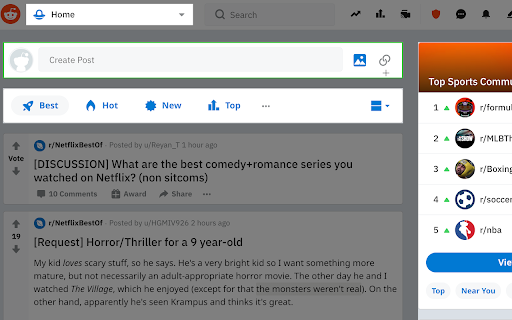
With Snip you can remove any element from any website with just one click. So it only shows what you want to see. You choices are saved. So next time when you visit the same page those elements will be gone as well. With Snip you can undo or redo recent changes. You can also review all removed elements and revert any of them. If you login with your Google account, your choices will be synced to all your devices using that same account. Version 2.10 changes: -Add the feature to snip an area of a web page. Version 2.9 changes: -Temporarily remove the login button. Version 2.6 changes: -Fixed that some elements cannot be snipped. Version 2.5 changes: -Fixed some layout issue Version 2.4 changes: -Migration to Manifest V3. Version 2.3 changes: -Handle the case when first using Snip and the rules don't exist. Version 2.2 changes: - Fix the issue that removed elements will appear for a few seconds when reloading the page. Version 2.1 changes: - Improve performance when analyzing the page.
Snip - Remove Web Elements screenshot 1Snip - Remove Web Elements screenshot 2Snip - Remove Web Elements screenshot 3Snip - Remove Web Elements screenshot 4Snip - Remove Web Elements screenshot 5

Reviews (13 cached)

β˜…β˜†β˜†β˜†β˜†2025-12-07
pneuman kramer

garbage does not snip or save. pos app

β˜…β˜†β˜†β˜†β˜†2025-10-23
Brandon Zylstra

Starts out nice, but doesn't allow you to STOP using it on a page πŸ€¦πŸΌβ€β™‚οΈ

β˜…β˜†β˜†β˜†β˜†2025-09-11
Jason Potter

Does absolutely nothing

β˜…β˜†β˜†β˜†β˜†2025-05-10
Febronia

Not functioning on Brave.

β˜…β˜†β˜†β˜†β˜†2024-11-20
Ahmed

Good idea but doesn't remember my choice, hence a bad idea. would give a 5 if it remembers what i've hidden

β˜…β˜†β˜†β˜†β˜†2024-08-27
Jolo Mallares

Buttons are not Working

β˜…β˜†β˜†β˜†β˜†2024-08-20
Liam Thompson

None of the buttons do anything

β˜…β˜†β˜†β˜†β˜†2021-06-07
Apostolos Dedeloudis

It doesn't work for me. It only works on their website.

β˜…β˜…β˜†β˜†β˜†2025-03-26
Tejoshmoy Dutta (Troid)

Provide the option to remember the selections I make for when I revisit the page. The extension I was using for years - "Click to remove elements" by "blade.sk" apparently has a bug now suddenly and all my selections are gone. was looking for an alternative. And this isn't it :( Good job with the area selection option.

β˜…β˜…β˜†β˜†β˜†2024-02-01
M R

Worked great the first time I used it, then just stopped working completely. Refreshed page multiple times, turned extension on and off, simply would not work again.

β˜…β˜…β˜…β˜†β˜†2025-07-11
Casrrr Bavaria

it's user-friendly but it should have/use more options for the UI like saving, listing and import/export options. but useful for removing an annoying ad or some content on low security semi-free websites... not bad though! could use some improvements.

β˜…β˜…β˜…β˜†β˜†2025-06-26
Oleksander Dudar

No option to see the list, import and export saved list of removed elements

β˜…β˜…β˜…β˜†β˜†2024-10-31
A Plaisted

3 stars only, because it doesn't remember snips for a domain. It will only snip elements on specific pages they are done for the domain. A setting for the tool that you could toggle to point to pages or to the domain would be nice. The elements I snip, I don't want to see ANYWHERE. Thanks for the tool.

Permissions (4)

Permissions

contextMenusβ„Ή Can add items to the right-click menu identityβ„Ή Can use your Google account identity scriptingβ„Ή Can inject scripts into web pages storageβ„Ή Can store data locally in your browser

Details

Version 2.18
Updated Feb 26, 2026
Size 62.39KiB
First Seen Apr 1, 2026