
Description
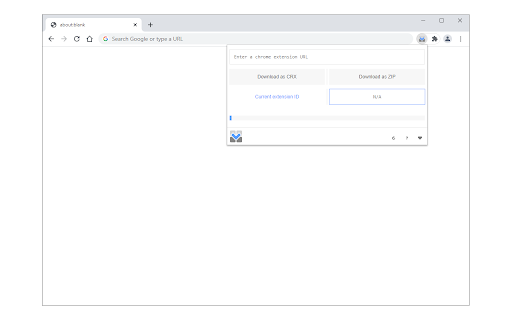
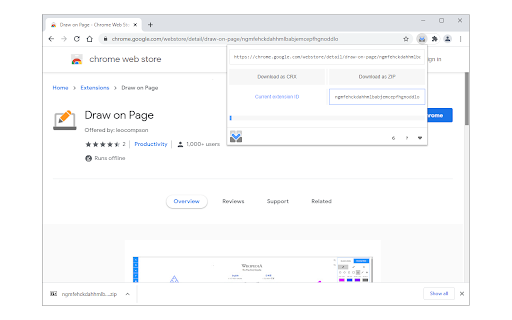
This extension allows you to download the source code for chrome extensions. Please open the toolbar popup and add a valid extension URL in the designated input field (top section). You can also navigate to the chrome web store, find an extension, and then open the toolbar popup.
The URL for the active tab will be automatically inserted into the input field. Once the URL is added, the related extension ID will be extracted and written in the - Current extension ID - area. Now, please click on the - Download as CRX - or - Download as ZIP - buttons to start downloading the extension as ".zip" or ".crx" formats. Please note that the progress bar in the toolbar popup shows you the current progress for downloading the extension. Once downloading is done, the final file will be available in the default download location on your machine.
Note: The extension interface supports dark mode. To switch the interface theme to dark, please press the moon icon in the bottom-right toolbar.
If you have a feature request or found a bug to report, please fill out the bug report form on the addon's homepage (https://mybrowseraddon.com/extension-source-downloader.html).
Reviews (2 cached)
★☆☆☆☆2024-10-21
Sanele Mabuza
Doesnt work
★☆☆☆☆2022-07-18
Scott Maxwell
Just another awesome extension that doesn't work you guys are the best
Permissions (3)
Permissions
activeTabℹ Can access the current tab when you click the extension downloadsℹ Can manage and monitor downloads storageℹ Can store data locally in your browser
Details
| Version | 0.1.5 |
| Updated | Aug 12, 2025 |
| Size | 22.87KiB |
| First Seen | Mar 27, 2026 |
More by leocompson

Draw on Page
by leocompson
100K
★ 3.55
tools
100K
★ 3.55
tools

Code Beautifier (JS, CSS, HTML)
by leocompson
5K
★ 5.00
developer
5K
★ 5.00
developer

Cookie Editor
by leocompson
5K
★ 3.50
tools
5K
★ 3.50
tools

Offline Mode
by leocompson
5K
★ 3.50
tools
5K
★ 3.50
tools

Link Revealer
by leocompson
656
★ 3.40
privacy
656
★ 3.40
privacy
Popular in tools

Zotero Connector
by Zotero
8M
★ 3.96
tools
8M
★ 3.96
tools

Browsec VPN - Free VPN for Chrome
by Browsec
7M
★ 4.44
tools
7M
★ 4.44
tools

AnyDoc Translator - Translate Web and PDF
by www.wps.com
7M
★ 4.59
tools
7M
★ 4.59
tools

Microsoft Bing Homepage & Search for Chrome
by Microsoft Corporation
4M
★ 3.72
tools
4M
★ 3.72
tools

IE Tab
by Blackfish Software
4M
★ 4.31
tools
4M
★ 4.31
tools
Popular Extensions

Adobe Acrobat: PDF edit, convert, sign tools
by Adobe Inc.
331M
★ 4.40
workflow
331M
★ 4.40
workflow

Grammarly: AI Writing Assistant and Grammar Checker App
by Grammarly
42M
★ 4.50
communication
42M
★ 4.50
communication

Chrome Remote Desktop
by Chrome Remote Desktop Release Managers
38M
★ 3.14
workflow
38M
★ 3.14
workflow

Microsoft Single Sign On
by Microsoft
36M
★ 2.27
workflow
36M
★ 2.27
workflow

Cisco Webex Extension
by cisco.chromestore
23M
★ 2.34
social
23M
★ 2.34
social