
⚠️Not updated in over a year
Description
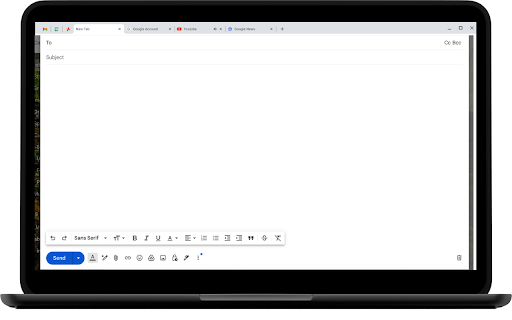
Unlock the power of quick and efficient writing with Google Docs Quick Write! Whether you’re a student, professional, or creative writer, this extension is designed to enhance your productivity and streamline your writing process directly within Google Docs.
Key Features:
• Instant Access: Open a new Google Docs document with a single click, perfect for capturing your thoughts and ideas quickly.
• Template Integration: Start with pre-designed templates for various writing needs, including essays, reports, meeting notes, and more.
• Quick Links: Access your recent documents and frequently used templates without leaving the page.
• Enhanced Formatting: Utilize a suite of formatting tools to customize your document to your liking, ensuring your content looks polished and professional.
• Seamless Integration: Enjoy a smooth, integrated experience with Google Docs, allowing you to focus on your writing without distractions.
How to Use:
1. Install the Extension: Add Google Docs Quick Write to your Chrome browser from the Chrome Web Store.
2. Open a New Doc: Click the extension icon to instantly open a new Google Docs document.
3. Choose a Template: Select from a variety of templates to jumpstart your writing process.
4. Start Writing: Begin typing and enjoy the enhanced features and tools designed to make your writing experience more efficient.



Reviews
Loading reviews...
Details
| Version | 1.0 |
| Updated | Jul 28, 2024 |
| Size | 9.2MiB |
| First Seen | Mar 28, 2026 |
More by ZMime

Popular in workflow

Adobe Acrobat: PDF edit, convert, sign tools
by Adobe Inc.
331M
★ 4.40
workflow
331M
★ 4.40
workflow

Chrome Remote Desktop
by Chrome Remote Desktop Release Managers
38M
★ 3.14
workflow
38M
★ 3.14
workflow

Microsoft Single Sign On
by Microsoft
36M
★ 2.27
workflow
36M
★ 2.27
workflow

MetaMask
by metamask
13M
★ 2.68
workflow
13M
★ 2.68
workflow

Free VPN for Chrome - VPN Proxy VeePN
by www.veepn.com
12M
★ 4.51
workflow
12M
★ 4.51
workflow
Popular Extensions
Adobe Acrobat: PDF edit, convert, sign tools
by Adobe Inc.
331M
★ 4.40
workflow
331M
★ 4.40
workflow

Grammarly: AI Writing Assistant and Grammar Checker App
by Grammarly
42M
★ 4.50
communication
42M
★ 4.50
communication
Chrome Remote Desktop
by Chrome Remote Desktop Release Managers
38M
★ 3.14
workflow
38M
★ 3.14
workflow
Microsoft Single Sign On
by Microsoft
36M
★ 2.27
workflow
36M
★ 2.27
workflow

Cisco Webex Extension
by cisco.chromestore
23M
★ 2.34
social
23M
★ 2.34
social