
⚠️Not updated in over a year
Description
The simplest and best-looking translation software, which does not affect the original web page style.
It can be read immersively without changing the original style, with simple functions and fast translation
1. Translation function
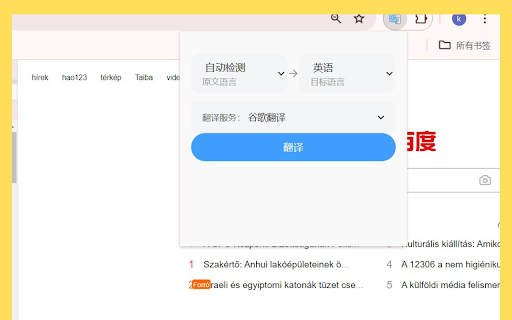
The translation function allows users to convert text from one language to another. In order to provide high-quality translation, plugins usually integrate one or more translation engines, such as Google Translate, DeepL, Microsoft Translator, etc. These engines use advanced machine translation technology, such as neural machine translation (NMT), to provide accurate and fluent translation.
2. Bilingual comparison function
The bilingual comparison function allows users to view the original and translated texts at the same time. This is very useful for verifying the accuracy of the translation, understanding the language differences in the translation process, or language learning. In the bilingual comparison view, the original text and the translation are usually displayed side by side, or can be displayed/hidden by clicking/switching buttons.
Plugin feature: Keep the original format after translation
● Keeping the original format is an important feature of this plugin. When dealing with complex texts (such as documents containing tables, lists, indents, font styles, etc.), it is crucial for users to maintain consistency in formatting. Here are some possible ways to achieve this feature:
● HTML/XML tag processing: The plugin can identify and process HTML or XML tags to ensure that the structure and style of the text are maintained during the translation process.
● CSS style preservation: For CSS styles embedded in the text, the plugin can try to translate them along with the text, or provide an option for the user to choose whether to preserve these styles.
● Special characters and formatting processing: The plugin can recognize and process special characters (such as quotes, brackets, dashes, etc.) and text formatting (such as bold, italics, underline, etc.) to ensure that they are properly preserved after translation.
● User-defined options: The plugin can provide user-defined options, allowing users to choose whether to preserve specific types of formatting or styles.
Reviews
Loading reviews...
Permissions (2)
Permissions
activeTabℹ Can access the current tab when you click the extension tabsℹ Can see your open tabs and their URLs
Details
| Version | 0.0.2 |
| Updated | May 30, 2024 |
| Size | 603KiB |
| First Seen | Mar 22, 2026 |
More by tianfa9527

Free WhatsApp Contacts Backup - Download WhatsApp Number to Excel/CSV
by tianfa9527
70K
★ 4.91
tools
70K
★ 4.91
tools

Free WhatsApp Bulk Sender – WA Sender & Blast Tool
by tianfa9527
20K
★ 4.94
tools
20K
★ 4.94
tools

Free WhatsApp Group Finder: Find Group Invite Link & Contact Extractor
by tianfa9527
3K
★ 4.94
tools
3K
★ 4.94
tools

simple web copy
by tianfa9527
42
★ 0.00
tools
42
★ 0.00
tools
Popular in tools

Zotero Connector
by Zotero
8M
★ 3.96
tools
8M
★ 3.96
tools

Browsec VPN - Free VPN for Chrome
by Browsec
7M
★ 4.44
tools
7M
★ 4.44
tools

AnyDoc Translator - Translate Web and PDF
by www.wps.com
7M
★ 4.59
tools
7M
★ 4.59
tools

Microsoft Bing Homepage & Search for Chrome
by Microsoft Corporation
4M
★ 3.72
tools
4M
★ 3.72
tools

IE Tab
by Blackfish Software
4M
★ 4.31
tools
4M
★ 4.31
tools
Popular Extensions

Adobe Acrobat: PDF edit, convert, sign tools
by Adobe Inc.
331M
★ 4.40
workflow
331M
★ 4.40
workflow

Grammarly: AI Writing Assistant and Grammar Checker App
by Grammarly
42M
★ 4.50
communication
42M
★ 4.50
communication

Chrome Remote Desktop
by Chrome Remote Desktop Release Managers
38M
★ 3.14
workflow
38M
★ 3.14
workflow

Microsoft Single Sign On
by Microsoft
36M
★ 2.27
workflow
36M
★ 2.27
workflow

Cisco Webex Extension
by cisco.chromestore
23M
★ 2.34
social
23M
★ 2.34
social