
Keeper® Password Manager & Digital Vault
Description


Reviews (200 cached)
Our IT department foisted this terrible app on us to replace our chrome password management. Its honestly the worst piece of software I have ever used. Slow clunky and constantly asks for logins, which literally defeats the entire point.
I chose your app with one main goal in mind, to have a convenient and reliable password manager. I already submitted a bug report regarding the iOS crash and shared detailed issues, but the overall experience has been frustrating. I cannot easily find passwords, there's no proper search by domain, and there are no suggestions for frequently used email addresses. These are basic features for a password manager. I tried 1Password and decided to switch the same day because the experience was significantly smoother and more intuitive. Unfortunately, the poor customer support experience is another major reason I will not be returning to Keeper. I hope you take this feedback seriously and improve the product.
The extension is all right, but it's absolutely impossible to actually go ahead and cancel the subscription. It just keeps auto-renewing year after year!!!
After the latest update the extension doesn't recognize the physical security key for 2FA. Accessing the web vault through website still recognizes the 2FA physical key however the timeout setting set in the extension doesn't work since login in directly through website doesn't sign into the extension
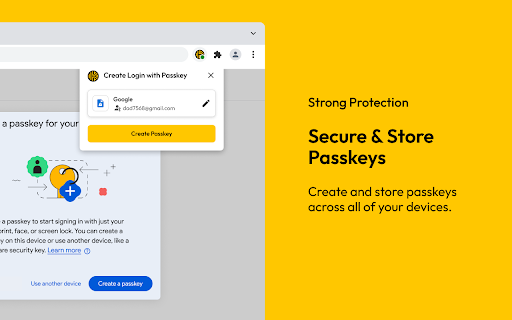
Migrated from a different password manager, the free trial was good and of course I expected less features but not THAT little, I basically cannot do anything without the subscription, which is impossible to buy due to country restrictions, it's just a password viewer now, that I cant do anything about, edit or add, nothing. Passkeys was a cool feature.
In general I like Keeper, but their browser extension fails all the time and I need to remove and reinstall it every 3-4 days. It's super annoying as you also need to reauthenticate the device, meaning you need to confirm both email and phone number plus master password. I wish the extension were more stable
Fix your extension. It keeps getting corrupted.
Keeps crashing randomly, reinstall, wait a week and crashes and have to redownload again... UPDATE WE ARE NOW 18th JULY AND YET AGAIN THE EXTENSION HAS CORRUPTED!
Keeper extension regularly causes significant negative impact on page loading. Most recently making GitlabCI pages load in 45+ seconds, same pages load instantly when extension is disabled.
BUGGY POS
Keeper is a great product. Their password manager on the other hand is horrible. Any changes made in the portal are not reflected here. new records will not be displayed until potentially months after creation if ever at all. I am removing the extension today because I have just locked myself out of an account that a co-worker updated the previous week... Just due to the web extension I would recommend bitwarden over keeper until they remedy this issue.
It has randomly started to sign me out after each use. Uninstalling and reinstalling the extension did nothing to fix it.
Terrible product. The completion popup constantly gets cut off on the bottom of the screen or hidden behind other content. I told this to their support and they refuse to issue me a refund, even though I just barely signed up today. Also, there's no way to delete your own account which feels really scammy to me.
Scammy company. There is no cancellation option in the settings. They charged me almost one month before the end of my 1 year subscription. Customer service first refused to refund while refering to their terms of conditions which states no refunds. This is somewhat understandable if the subscription is autorenewed on the specified date. But how is it justified to charge my bank account several weeks in advance without any heads up and then keep referring to your terms and conditions? It was already a red flag that there were no cancel subsciption options to choose, but this level scammy behavior was staggering.
Terrible experience. Many options are not working. The setting for 'keep logged in for xxx minutes' does not work, requiring daily cookie clearing to log in. Additionally, the extension sometimes indicates that you are not logged in, even though the website shows otherwise. The only way to fix this issue is by deleting cookies and restarting the browser. We are using the business version, and it is not worth it.
The latest version of the extension has a bug where Keeper continues to reset where the cursor is in a form. This is with settings for any and all auto filling off. This prevents entering information into any form with Keeper running, so I have had to disable it. This is very unfortunate as all previous versions of the extension were workable so long as settings were cranked down, and adding this sort of friction both lessens my faith in Keeper and makes it difficult to use, which I'm sure my family will also struggle with. I have reported this to Keeper but have little faith it will be addressed as the Internet of Rot says companies don't care because users will learn to live with lower quality products over time, but I will not.
How to get rid of this extension? Once I tried, now it's impossible to remove it permanently. It keeps coming back when I remove it. Please help.
The plugin is constantly logging out. I'll give it 5 stars when you fix this. I have "Stay Logged In Between Sessions" turned on and it still logs me out almost daily.
Coming from LastPass, Keeper has a much better UX; unfortunately, the syncing just doesn't work across devices. I've seen it happen multiple times: create new credentials for a website "X", log-in fine on my desktop; go to mobile and poof, it doesn't seem to have any idea about "X". I literally had to call my wife to log in to the desktop and send over the password once. Syncing seems like a solved problem so i'm baffled why this happens.
It works but it keeps sending annoying popups when I'm trying to get things done.
Cannot disable or change keyboard shortcuts
TLDR Not suitable for elderly, non-techy users. I will switch my family to iOS + Macs as iOS + Win + Keeper adds more complexity than without a password manager. ### Better alternatives ### - Family friendly cross platform sync: Dashlane - Slightly techy cross platform sync: 1Password - For mobile only sync: Password Safe (by Robert Ehrhardt) ### Issues ### Chrome Extension - Keeps logging me out of my two Win11 laptops and one VM every other day despite having "Stay Logged In Between Sessions" enabled and "Inactivity Logout Timer" set to 43200 (max). - Tedious login to Extension - Annoying popups ### iOS app ### - Lack automatic login. Requires you to select the right password - Not as tidy as Dashlane or Password Safe - Lacks many quality of life features from both Dashlane (long press for more info) and Folders (Password Safe) - Cannot see how many passwords I have any how many are in each folder and without a folder/category - BreachWatch notification and purchase reminder everywhere that intimidates and confuses users - Face ID unlock works only half the time. I have "Low Power Mode" enabled all the time which hibernates the app in the background - Slow start-up - Crashes when every 3rd time I upload an attachment - Attachments are not synced, and I cannot press "Save" after edits. Requires me to delete the attachment, save, restart the app then add the attachment again - Error when moving entries into a folder - Error when uploading attachments - Cannot add several URLs for the app to treat as single login - Cannot mass select search results e.g. to move them to a specific folder - Imports CSV files from Password Safe but does not move emails and passwords to the right fields. I do not have the time to correct 800+ passwords - Fonts too small - Phone number field always default selects +1 USA, and I have to scroll forever to find my country code - Password generation is outdated: lacks "Avoid similar characters iIlLoO0" and "Avoid duplicate passwords" or "Use custom characters -_!?@" - "Note" section does not automatically open keyboard ### Company ### - No refund policy. I wasted $160 for a 3 year family subscription
Keeper is highly dysfunctional. Even when you download the Chrome extension, it still launches Bing every time. It continually logs you out so you have to log in every time you need to use the vault. I am going back to Dashlane - much much much easier to use. The only reason I got Keeper we because it allows you to group your passwords which Dashlane does not.
This extension is pointless. The only reason I downloaded this is because my organization blocked us from using Google password manager. Keeper will not fill in your passwords unless you are signed in to the extension, but it signs itself out every time you close the browser. So you will have to go through the extra step of signing in to Keeper, jut to fill in your passwords. What a waste of time.
you ask for a rating instead of giving value to user experience. a poor user experience is a poor app.
The Chrome integration is useless as it does not show up. I have to disable and then enable the extension for it to work again, which I have to do many times a day. Therefore, it makes more sense to just not use it. Don't waste your time.
Please stop asking me if my http site is safe. It is my work url and it is safe. Happens around 18 times per day. I want to sob in the corner of my office weeping and wailing with nashing of teeth. I'm about to rend my garments, build a flag out of them and protest outside. God just messaged me and tell you guys really need to only display that prompt once per site in a lifetime. Or disable it as an option. Thanks...
Like many of your I too was looking to jump off the sinking ship that is lastpass, BUT unfortunately keepers UI/UX experience is very lacking to put it mildly. For example they dump all your information into a single vault and require you to search for everything inside that vault instead of having a left menu category navigational structure is unacceptable. It makes no sense that my website passwords along with my passport notes are all in the same vault. Once they fix and improve upon this they'll have me and I'm sure thousands of users ready to migrate over to them.
I was trying to update a password on Google and it just wrote over a different account entry when it generated a new password. Seriously frustrating! Had to recover that other account too!
The app itself is still OK, but the Chrome integration is getting consistently worse. Original review reference a problem I had with with "Please check the date and time settings of your device." Lately I'm like others being frequently logged out. For last 2 days I can't get it to properly open or function at all. Good integration was one of the selling points in the beginning that had me switch, but this is awful and now I'm stuck due to a family plan.
I wasted time and energy on keeper. Its not free anymore in any form. When added to browser it was free on one device but now no free option at all. also, there's no option to delete account. it looks like I was spammed. Disappointed.
I wanted to love Keeper and in some ways it does work ok. However, I moved from LastPass and there is one key feature that is missing in Keeper... Keeper will keep prompting you to save passwords on all sites... It has no option to disable asking you to save a password on a single site. Suggested they add it as feedback awhile back and heard nothing back. Have recently been working with support and things have been AWFUL... Their support staff doesn't properly try and understand the issue, it sounds like a bunch of high-school students with their own opinions instead of someone trying to help you. Will very likely go back to using LastPass after this experience with support.
Simply does not work. The login is impossible. When trying to get help all they say is to clear the browser cache and restart the device....
16.4.7 Continually Logging Out!!!! This is happening for all employees on both Chrome & Edge.
After 2 months and following instructions for chrome setup I have yet to have this app autofill an address or credit card information correctly.
Detect "localhost" is http is pretty stupid and popup is also annoying
Seriously just so frustrating, trying to log into Keeper Security is a complete mission. Im from AUS and its taken me 20mins just to log into my dam account. The login keeps on automatically re-routing me to the GB site even though im selecting AUS. The login is painfully slow & the auth often fails with errors its just really poor, will be looking to move once my subscription is up, simply not good enough
Constantly logs you out, support is useless. Every couple of weeks Keeper will force log you out of all your browser extensions for chrome and firefox; support gives some BS reason and asks you to reinstall, which fixes the issue because you have to log back in for it to work... but a couple weeks later you are logged out again, and support gives another BS reason and asks you to reinstall. They know it's broken but can't / won't fix it.
Slow to auth. often fails with console errors and worse, prevents whatever login/signup I'm attempting from working at all. No option to disable particular sites from being tracked, so it endlessly asks to save the credentials from the same websites. It's only plus imo is that it can save files. latest version in latest chrome absolutely kills chrome. I typically have hundreds of tabs open and this extension renders chrome unusable.
It worked wrong from the beginning! It's way too complicated for all the wrong reasons. I wish I had never installed it!
If you can' afford the purchase of a subscription you literally loss your saved passwords after the free trial expires. NOW I LOST MY SAVED PASSWORDS OF REALLY IMPORTANT ACCOUNTS!!!!! INCLUDED MY SOCIAL NETWORKS WHO ARE PART OF MY JOB AND DAILY INCOMES!!! I DEMAND MY SAVED PASSWORDS!
was great at first, but then one day it told me my free trial has ended and i needed to purchase a plan. nowhere on the website does it state that you eventually need to purchase this, nor was i given any warning that my trial was about to expire. i have no access to any of my passwords on my computer anymore. luckily i do have a password manager on my phone, but i could only imagine the pandemonium that would happen if i didn't.
Be careful. THIS IS A PAID SERVIC! Apparently there is a trial period and without any notice you are locked out of your account and you have to buy a subscription to gain access to you passwords..
It was great for passwords, but now they have all my info and are saying I need to purchase to use it anymore. That is not what was stated in the description. It's supposed to be free! I will not be recommending to anyone else!
Worked fine for a while but now the chrome extension says my email/master password is incorrect even though I can use the same log/password on all my other devices/apps and their web site.
It worked ok it doesn't handle sites where the username and password are entered on different pages well. When my year expired they tried to screw me, everything defaults to the Family plan even though I do not want it. I'm going to have to get another product and go through the entire process again, I wish I had never installed it.
Absolute garbage. Recommended me passwords that are impossible to remember alone, then told me I needed a subscription to continue using. Now, I'll likely have to go through all of my applications to change the passwords. Would not recommend.
The extension should explicitly describe what features are available in free versions and paid versions. Stuck at login in free version,this is not a good experience for me.
What a scam. You have to pay money and I am never going to do that. It was going to delete my passwords in 24 hours. Such a scam. Never use.
Caveat Emptor. added ext. only to receive Keeper robo-email I already have an account. really? I never created a Keeper account. So who in the world would entrust their passwords a company that let someone establish an account for me without 1)rejecting it and 2)notifying me. only reason I left it in was to write this review. in 20 seconds, it is gone.
Permissions (12)
Permissions
Details
| Version | 17.7.2 |
| Updated | Mar 17, 2026 |
| Size | 105MiB |
| First Seen | Mar 29, 2026 |
Popular in workflow


Popular Extensions

