
⚠️Not updated in over 2 years
Description
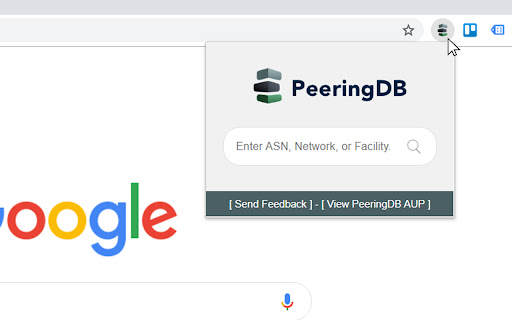
Very lightweight and simple extension to search for AS numbers, Networks, Facilities, and general queries in PeeringDB using the icon on the extension bar, the context menu, and your address bar in Chrome.
You'll always be a couple of clicks away from searching the largest interconnection database of the industry.
Instructions:
[New] Using Address Bar (Omnibox)
Write pdb followed by a space, input your search query and hit enter.
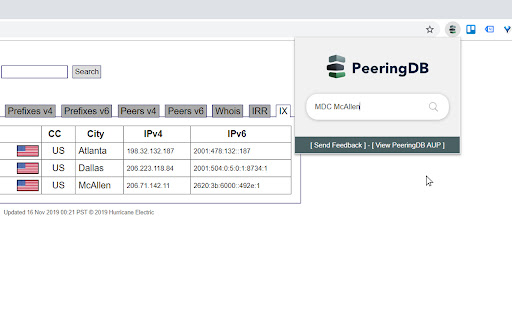
Using Icon on Extension Bar
Just click on the icon and input your search query on the box.
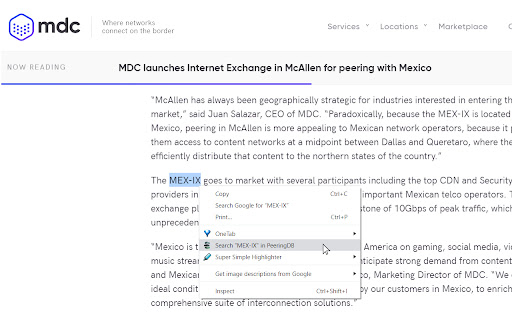
Using Context Menu
Highlight text on a page, right click, and select "Search in PeeringDB".
If the query or highlighted text is a number, the extension will look for an ASN in PeeringDB. Otherwise, it will perform a standard search on the website. For both methods, search will open in a separate tab.
I hope you use it as much as I do!
Changelog:
3.0
- Implemented Manifest V3
- Added Omnibox feature to search using Chrome's address bar with key 'pdb'
- Improved deprecated JavaScript functions
- Updated developer email
2.1
- Autofocus on search box
2.0
- PeeringDB Search Box
1.2
- Updated PeeringDB logo


Reviews
Loading reviews...
Permissions (1)
Permissions
contextMenusℹ Can add items to the right-click menu
Details
| Version | 3.0 |
| Updated | Dec 4, 2023 |
| Size | 40.95KiB |
| First Seen | Mar 26, 2026 |
Popular in tools

Zotero Connector
by Zotero
8M
★ 3.96
tools
8M
★ 3.96
tools

Browsec VPN - Free VPN for Chrome
by Browsec
7M
★ 4.44
tools
7M
★ 4.44
tools

AnyDoc Translator - Translate Web and PDF
by www.wps.com
7M
★ 4.59
tools
7M
★ 4.59
tools

Microsoft Bing Homepage & Search for Chrome
by Microsoft Corporation
4M
★ 3.72
tools
4M
★ 3.72
tools

IE Tab
by Blackfish Software
4M
★ 4.31
tools
4M
★ 4.31
tools
Popular Extensions

Adobe Acrobat: PDF edit, convert, sign tools
by Adobe Inc.
331M
★ 4.40
workflow
331M
★ 4.40
workflow

Grammarly: AI Writing Assistant and Grammar Checker App
by Grammarly
42M
★ 4.50
communication
42M
★ 4.50
communication

Chrome Remote Desktop
by Chrome Remote Desktop Release Managers
38M
★ 3.14
workflow
38M
★ 3.14
workflow

Microsoft Single Sign On
by Microsoft
36M
★ 2.27
workflow
36M
★ 2.27
workflow

Cisco Webex Extension
by cisco.chromestore
23M
★ 2.34
social
23M
★ 2.34
social