
⚠️Not updated in over a year
Description
Ensure the seamless integration of the BlinkLink SDK on your website with the BlinkLink SDK Configuration Tester. This powerful tool is designed for developers and IT professionals who need to verify that the BlinkLink SDK is correctly set up and functioning as expected on client websites.
Features:
Automated SDK Validation: Quickly check if the BlinkLink SDK script is correctly loaded in the <head> tag of your webpage.
HTML Element Verification: Ensure the required <div> elements with specific attributes are present and correctly configured in the <body> tag.
Detailed Feedback: Get a comprehensive report on the configuration status, including the presence of critical attributes and values.
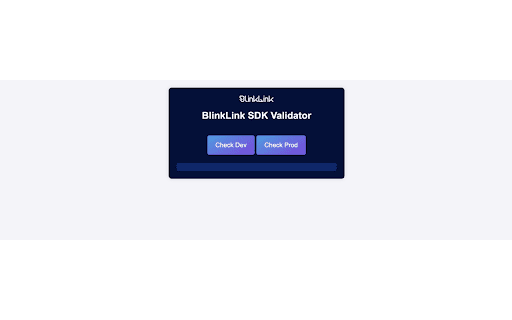
User-Friendly Interface: Easily understand the results with a clear and well-organized output displayed directly within the extension popup.
Time-Saving: Save valuable time by automating the tedious process of manual configuration checks.
Why Install BlinkLink SDK Configuration Tester?
Confidence in Setup: Guarantee that the BlinkLink SDK is properly set up on your clients' websites, ensuring optimal performance and functionality.
Efficiency: Streamline your workflow with automated checks, reducing the need for manual validation and minimizing the risk of human error.
Instant Results: Receive immediate feedback on your SDK setup, allowing for quick adjustments and ensuring your website is always up to standard.
Enhanced Debugging: Detailed insights into the configuration help you identify and resolve issues swiftly, improving your overall development process.
Professional Tool: Trusted by developers and IT professionals, this extension is an essential tool for anyone working with the BlinkLink SDK.
How It Works:
Install the Extension: Add the BlinkLink SDK Configuration Tester to your Chrome browser.
Open the Extension: Click on the extension icon in the Chrome toolbar to open the tester.
Run the Check: Press the "Check SDK" button to initiate the validation process.
Review Results: View the detailed results in the popup, which will indicate whether the SDK and required elements are correctly configured.
Ensure your BlinkLink SDK setup is flawless with the BlinkLink SDK Configuration Tester. Download now and take the guesswork out of your integration process!
Reviews
Loading reviews...
Permissions (2)
Permissions
activeTabℹ Can access the current tab when you click the extension scriptingℹ Can inject scripts into web pages
Details
| Version | 1.0 |
| Updated | Aug 1, 2024 |
| Size | 44.13KiB |
| First Seen | Mar 29, 2026 |
Popular in developer

GoFullPage - Full Page Screen Capture
by GoFullPage
10M
★ 4.89
developer
10M
★ 4.89
developer

TouchEn PC보안 확장
by 라온시큐어
8M
★ 1.33
developer
8M
★ 1.33
developer

React Developer Tools
by Meta
5M
★ 3.95
developer
5M
★ 3.95
developer

Meta Pixel Helper
by Meta
4M
★ 3.91
developer
4M
★ 3.91
developer

ColorZilla
by colorzilla.com
4M
★ 4.59
developer
4M
★ 4.59
developer
Popular Extensions

Adobe Acrobat: PDF edit, convert, sign tools
by Adobe Inc.
331M
★ 4.40
workflow
331M
★ 4.40
workflow

AdBlock — block ads across the web
by AdBlock
63M
★ 4.48
workflow
63M
★ 4.48
workflow

迅雷下载支持
by Shenzhen Xunlei Network Technology Co., Ltd.
59M
★ 2.77
workflow
59M
★ 2.77
workflow

Grammarly: AI Writing Assistant and Grammar Checker App
by Grammarly
42M
★ 4.50
communication
42M
★ 4.50
communication

Adblock Plus - free ad blocker
by eyeo GmbH
41M
★ 4.39
workflow
41M
★ 4.39
workflow