
Description
Reviews (5 cached)
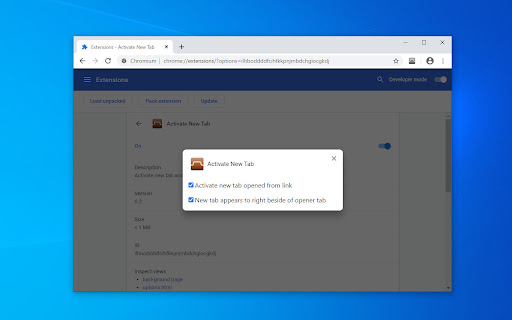
Scrambles tab order when Chrome reloads. Needs more options in terms of blank tabs opened vs. new tabs opened from links.
Doesnt work
Not enough options on the options page - you can't set which tab to activate when closing a tab.
Hi Developer.... Since I see you're working on a project similar, would be be kind enough to either create a "New Extension" or maybe just Add the feature to this one, so as to "Open Favorites in New Tab"? You can even have a setting in which we choose if we want the Favorite to open in the Background or Foreground, as well as your options, the end of row or next to open tab. Need it to work with Edge, but you likely don't have to do anything extra since most Chrome extensions work with Edge, though depending on how it needs to work I don't know. Anyway, this is a long needed feature, desperate. Thanks
Ahhh… Finally an extension that works. I tried several extensions that purport to open a tab next to the current tab but only this one does that. One problem though. It is too aggressive. It opens and SWITCHES to the new tab. I usually open several tabs before switching myself to the open tabs. This needs to provide such an option to be perfect.
Permissions (1)
Permissions
Details
| Version | 0.9 |
| Updated | Oct 2, 2025 |
| Size | 8.7KiB |
| First Seen | Mar 30, 2026 |
More by 痛ったい


Popular in accessibility





Popular Extensions




