
Description

Reviews (32 cached)
Do not download. Deleted my files.
The app does not "migrate" between two different Google accounts. It simply makes a backup copy in the same location and on the same Google account. Waste of time.
This app doesn't work now. I granted all my permission to it, yet it stuck on the asking for permission page.
Why do you need all these permissions, especially, "Sending Email of my Behalf"?? are you using this tool as a mean to use other people accounts to send spam?
Didn't work at all.
Draconian permissions. "Send Email as you"?? Why would a data migration app need to do that?
Migration appeared to go fine but turned out to have numerous empty folders! Dangerous!
Went to a lot of effort and it looked like the drive folder migrated, but it was missing about half of the files. It wound up being an impossible amount of time to audit the original folder of hundreds of files against the new migrated one to find out what was missing.
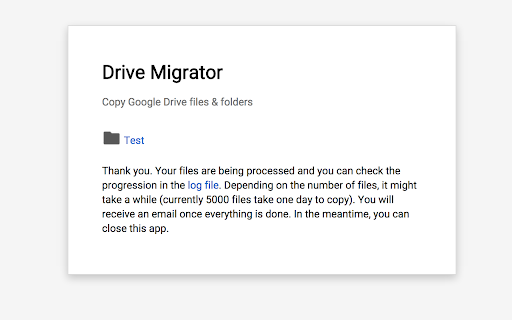
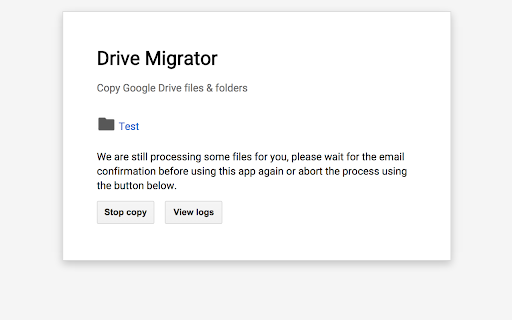
don't really know what this app do. Received a "Every thing has been copied" message. and it generates copied files in the drive of the same account.
Did not work for me. Log listed a number of "Copy errors", yet I received a message that "Everything has been copied!". What?
Did not copy my files.
It says everything has been succesfully transfered, even though some things have error.
It transferred only one file and created just a half of all folders. No success unfortunately. :( Looks like I'll have to copy all files via API myself.
WARNING! DO NOT INSTALL UNLESS YOU WANT NEVER ENDING ERROR MESSAGES IN YOUR EMAIL. EVEN AFTER YOU DELETE YOUR ACCOUNT.
I daily receive annoying failure notifications by mail !
Don't use this app unless you want endless emails. Like others, no matter what you do the e-mails don't ever stop. I get one every day no matter what. If you try and unsubscribe you get a Forbidden Error 403. No way to revoke access, I guess it just keeps on forever. So not only did it not work at all, you get endless e-mails of errors every day. Garbage - PLEASE someone post a solution to stop the e-mails.
HERE IS HOW TO STOP THE INFINITE EMAILS!!! The script was not uninstalled from Google Script when the product is uninstalled. Even revoking permissions doesn't stop it. Below is the link to "Manage" and "Uninstall" properly. Go here: https://script.google.com/macros/s/AKfycbzjS8m5Cg6OTcnGaBi1IevR8FkJRI5ZdlUWFsLnSFw5S0s0X9E/manage/uninstall Then click "Uninstall". All I did was copy the link that appears after "Drive Migrator offered by" at the top of this page, then add "/manage/uninstall" on the end of it. This tells Google Developer Tools how to act upon the link. This should have been done automatically by removing the app from Chrome, but it doesn't. Hope this helps EVERYONE.
Transferred file titles, but all files were empty
This app spend DAYS running, and then failed at more than 90% of the objects assigned! Totally useless!
It lets me select a folder to copy but doesn't ask for a destination. How does this even work?
DOESN'T WORK!
A typical trojan horse app that can stole all you data from your Google Drive. To copy files between different clouds you should use standard FSP apps for Chromebook. You can install FSP apps on Chromebook by the following steps: 1) Open "Files" app 2) Press "Add new services" button 3) Choose any cloud service (Box, Dropbox, One Drive or Windows Share (SMB/CIFS)) and press "Install"
Won't load: Failed to load extension from: ~ Manifest file is missing or unreadable. Could not load manifest. I'm using latest Chrome on Win 7 Pro. Tried various things, no luck.
I have 8GBs of files in the parent folder I was trying to sync, and when using Drive Migrator the process was riddled with errors (mainly that the script had reached its data limit). Folders were created 10+ times with nothing in them, and the whole backup was a total bust. I had 3,000 files and waited 2 days before cancelling this outright. I'm now using inSync to convert my Google Docs to Word Docs for migration to my new Drive account.
Have to give it 1 star because it doesn't work. No documentation. Unfortunate.
Nope, It said it copied everything but not everything was actually copied...
Was very slow to copy a few hundred files. Then can back with errors as it took to long and only copied some files.
it didn't work for me
Hi guys, something failed while migrating files and folders. It was like 2 months ago. since DAILY I RECEIVE ANNOYING FAILURE NOTIFICATIONS. PLEASE FIX THAT ! Make it stop trying !
Did not work for me. I tried to migrate 25Gb from one drive account to another one and had nothing but errors after waiting for hours.
Didn't work as described.
Pros: Super quick and easy way to get most files transferred from @gmail.com domain to a new corporate domain our startup created. Cons: Not all files were transferred. So I still had to go through and figure out which files were missing and manually move them over.
Details
| Version | 2 |
| Updated | Aug 17, 2017 |
| Size | 7.15KiB |
| First Seen | Mar 26, 2026 |
More by Romain Vialard


Popular Extensions



