
Description


Reviews (17 cached)
Doesn't work with Amazon Prime
I ran into a major glitch on YouTube today. Whenever I press any key on my keyboard, it triggers the picture-in-picture mode and distorts the video, and possibly more. Even using the spacebar to pause the video causes this issue. After disabling the extension, everything worked perfectly again, indicating that the extension is the root of the problem. I’m looking forward to a quick fix.
Today I got a major bug on youtube, pretty much any button I press on my keyboard will activate picture-in-picture mode and stretch the video (and maybe do other things, I don't know). I can't even pause the video with the Space key without this happening. I turned off the extension and everything was fixed, so clearly there is a problem with the extension. Hoping it gets fixed soon. Edit: The issue was fixed, but I can't use button shortcuts anymore?
Doesn't work for Amazon Prime Video
Doesnt even work.
Does not seem to do anything at all on Prime Video (UK) unfortunately.
Not Working in netflix. Please Fixx!!!!
i want to change screen ratio but shift g is not working fix it
Not work at all (Samsung 32-9 SuperUltraWide 49" monitor)
it doesn't work. i tried with netflix and prime
Didn't work on Chrome while watching on Amazon Prime.
Just stretch w/o aspect ratio.
It works with every mentioned ott platform except Netflix. Kindly fix this problem.
not working for me on netflix
So I am using this on Microsoft Edge, With Netflix, And every time I set it to Stretch View. It just becomes a black screen, Please help, Thank you.
I would love to have a 4:3 mode
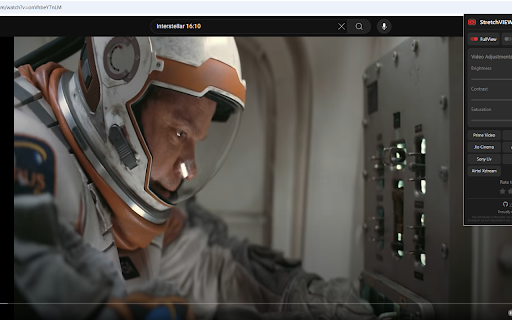
It does exactly what it says. However, when stretching the video so that there are no black bars you actually end up with a video that has for instance an oval shaped moon instead of the original round one.
Permissions (3)
Permissions
Details
| Version | 6.2.0 |
| Updated | May 24, 2025 |
| Size | 786KiB |
| First Seen | Mar 28, 2026 |
Popular in entertainment




Popular Extensions




