
Description

Reviews (8 cached)
bull. In what world is the date order 2023, 2016, 2024... And no undo function
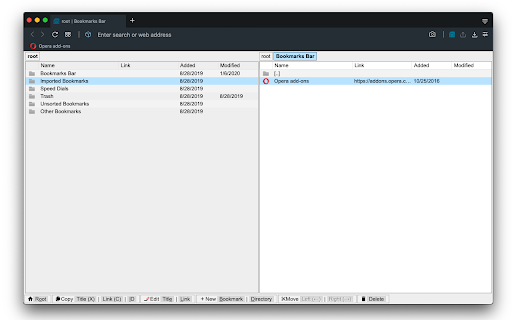
Well, it is one of a kind, I guess. But the UI is horrible - no F-keys hotkeys, and with dragndrop there's no way to drag a bookmark INTO a folderl... But what is unforgivable is that it opens its website every time it's installed/updated.
Very good idea but two important useability problems that both remove stars from the result. FIrst the tab column width once set manually are not stored and reset with a tiny title field while having a giant URL (which is much less important when organizing). And the number one mistake is that i can't preview the page without leaving the window. Can't even find a "open in other tab" in the context menu. It makes using it to reorganize your bookmarks impossible to use when you have to look at a page to remember what it was about.
Nice idea :-) However, on my machine and with my browser, running certain searches spikes memory usage and processor, page becomes unresponsive. Closing the page and reopening (by clicking the extension icon) does not reset it. Suggestion: - sort by clicking on the coloumn headers (asc, desc, no-sort) - search / filter only in selected coloumn - tags - as others said - right-click menu - faster operation ;-)
This is a great idea and a good implementation, yet needs a few more things: - Undo / Redo. - Rename Title. Also - how to edit the bookmark's title, if Ctrlt+T opens a new tab?
Can this sort all bookmarks? Or only the active folder?
I do like the innovative NC interface, so good intentions, but execution was something else. My goal is to remove hundreds, maybe thousands of dupes. Tried deleting a small group of 50 or so as a test, and it is SO SLOW! They seemed to delete, but then it just got hung and unresponsive. Tried quitting Chrome, but now it won't re-launch. Tried "restart" as well as all the other available options to launch it but still no response. I guess it might still be there somewhere running in the background, but doesn't show on Activity Monitor, so can't kill it (is there a unique process name for it?). I suppose a reboot would clear it out, but that's just not how any software is supposed to work.
The idea to use classic file manager UI for bookmarks is a good one, implementation is useless. Not enough search options (actually none). Weird, irrational decisions for UI, like changing background color for no reason.
Permissions (4)
Permissions
Details
| Version | 0.5.0 |
| Updated | Apr 29, 2024 |
| Size | 98.41KiB |
| First Seen | Mar 30, 2026 |
More by brian.girko





Popular in workflow




Popular Extensions
