
Description

Reviews (16 cached)
Getting an error about a failed network request in the latest version of Chrome. Definitely a red-flag as there's nothing here that requires any network operations. Uninstalling.
Doesn't work in: Chrome 120.0.6099.217 Chrome 121.0.6167.47 Chrome 122.0.6238.0
doesn't work in the Chrome v120
does work unfortunately!
Not working
Not working
Not working in chrome 2021
Doesn't work on latest chrome. Reloading the browser or reinstalling the extension doesn't help - the tab is always empty
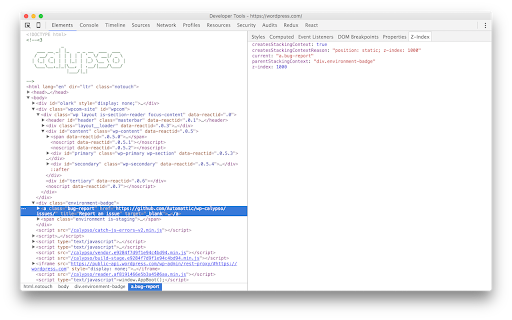
did not work, does not appear in dev tools even after restart, a how to would be nice
could not figure out how to use if :(
Could not see the tab in dev tools , even after restarting and refresh . A good how to is helpful
Not work in 2021
If i set position value fixed or sticky and z-index: auto > it return false > you need to fix this bug
I guess this extension might be useful, but it doesn't show every stacking contexts. In my case it didn't show that positioning an element to fixed or sticky creates a stacking context, even without any opacity or z-index rule. as it can be seen here https://developer.mozilla.org/en-US/docs/Web/CSS/CSS_Positioning/Understanding_z_index/The_stacking_context and as it definitely applies.
This extension is very helpful. But I wasted a ton of time because of the bug in it. It reports new stacking context for any value of "will-change", even smth like "will-change: left", which obviously doesn't create a stacking context. According to the spec: "Element with a will-change value specifying any property that would create a stacking context on non-initial value"
Really handy! But why on earth does it need permissions to *change* data on websites I visit? Surely *reading* that data is enough for the current functionality?
Details
| Version | 3.0.0 |
| Updated | Nov 28, 2024 |
| Size | 30.48KiB |
| First Seen | Mar 30, 2026 |
Popular in developer





Popular Extensions




