
SlingPlayer for DISH Anywhere
Description
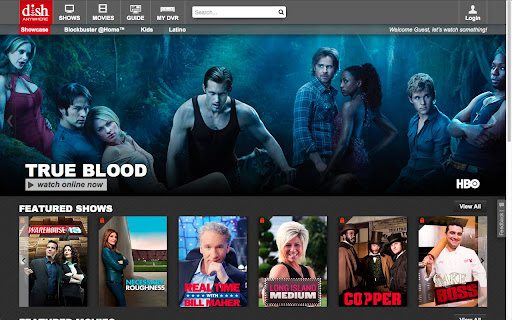

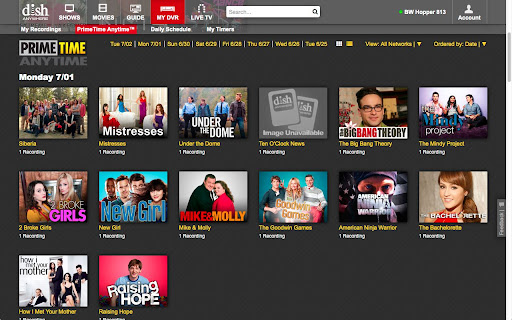

Reviews (119 cached)
Doesn't work.
This is obviously a very old issue and it still hasn't been resolved? I'm confused.....
Same problem as everyone else
Terrible, uses a lot of resources. Would be better off making a standalone app.
doesn't work
not working on my chrome
WON"T WORK WTF DISH!!! SO UPSET!! What were they thinking!!!
Per usual Dish Network SCREWED THIS UP. I am on vacation. When I left Dishanywhere was functioning perfectly. It will not work at all with the latest plugin. Thank Dish! I thought all of these "Dishanywhere" nightmares were supposed to end once I upgraded to the Hopper. Stop trying to fix something that's not broke!!!!!!!!!!!!!! According to the warning in this dialog box which says that the latest plugin is not compatible with my Win 8.1 installation shows that a NPAPI plugin has to be installed on the machine for it to work... Well I researched that and found this: NPAPI Plugins Leveraging HTML and JavaScript makes developing new extensions really easy, but what if you have existing legacy or proprietary code that you want to reuse in your extension? You can bundle an NPAPI plugin with your extension, allowing you to call into native binary code from JavaScript. Warning NPAPI is being phased out. Consider using alternatives. NPAPI is a really big hammer that should only be used when no other approach will work. Code running in an NPAPI plugin has the full permissions of the current user and is not sandboxed or shielded from malicious input by Google Chrome in any way. You should be especially cautious when processing input from untrusted sources, such as when working with content scripts or XMLHttpRequest. Because of the additional security risks NPAPI poses to users, extensions that use it will require manual review before being accepted in the Chrome Web Store. Details How to develop an NPAPI plugin is outside the scope of this document. See Mozilla's NPAPI plugin reference for information on how to do that. Once you have an NPAPI plugin, follow these steps to get your extension using it. Add a section to your extension's manifest.json that describes where to find the plugin, along with other properties about it: { "name": "My extension", ... "plugins": [ { "path": "extension_plugin.dll" } ], ... } The "path" property specifies the path to your plugin, relative to the manifest file. The "public" property specifies whether your plugin can be accessed by regular web pages; the default is false, meaning only your extension can load the plugin. Add "public": true to make your plugin accessible on regular web pages and content scripts. But be careful - any web page will then be able to call into your plugin. Create an HTML file that loads your plugin by mime-type. Assuming your mime-type is "application/x-my-extension": <embed type="application/x-my-extension" id="pluginId"> <script> var plugin = document.getElementById("pluginId"); var result = plugin.myPluginMethod(); // call a method in your plugin console.log("my plugin returned: " + result); </script> This can be inside a background page or any other HTML page used by your extension. If your plugin is "public", you can even use a content script to programmatically insert your plugin into a web page. Security considerations Including an NPAPI plugin in your extension is dangerous because plugins have unrestricted access to the local machine. If your plugin contains a vulnerability, an attacker might be able to exploit that vulnerability to install malicious software on the user's machine. Instead, avoid including an NPAPI plugin whenever possible. Marking your NPAPI plugin "public" increase the attack surface of your extension because the plugin is exposed directly to web content, making it easier for a malicious web site to manipulate your plugin. Instead, avoid making your NPAPI plugin public whenever possible. Content available under the CC-By 3.0 license T
FULLY BROKEN. Does not work. Is this a joke?
IT will not install and I'm running Chrome 32-bit. Not good as the product went from used to work to not working at all.
WTF? Dishanywhere just gets worse and worse.
No longer works
really!!! what the f!!! it does not work
Can't install endless loop during installation. had to switch to Firefox to make it work. No support from Dish
Doesn't install endless loop. Not happy:(
Can't get it to work and am finding no support from dish!!!!!!!!!!!!
Total HORSESHIT!! I keep getting the same message as Lynda, then I see it's only compatible with windows 7 and 8 now. All of a sudden Vista isn't good enough so I have to buy a new laptop...and why the hell would I want them to access all data on my computer. Gets one star cause I can't figure out how to give it zero!
doesn't work at all....now nothing can be watched on dishanywhere. it wouldn't install. kept saying that i needed to enable the plug ins (they are enabled), and then it says it's not compatible, not supported on this computer, installation has been disabled, following problems are detected: NPAPI plugin is required by this app. this is complete bs....worked just fine before this latest update.
Doesnt work! Besides, access all data on my computer! Scary!
Not Working
It doesn't work!
A Chrome video playback app that doesn't support ChromeCast. Now that's what I call punishing your customer.
And now it's fully broken. Really what am I paying for? I don't think it's asking too much for full screen mode to actually go full screen, but for some reason it doesn't work. I expected better but it dose at least work.
Not working
dose not work
Endless loop. Correct this Dish!
Total junk, I install and it still does not work!
Yep. Loop.
New version does NOT work. The plug in doesn't install. Tried many times, and it doesn't even appear in my plug in list. This needs to be fixed, because it's a huge problem. And I'm not the only one having it. Sling/Dish, you need to pay attention, and fix this issue.
This was working fine, then I get on the computer this time and it tells me that there is a new one. I tried to download it and it tells me that I have enabled it. Can't find it to uninstall, yet can't make it work & can't watch anything with out it! I have this sling player on my mobile device and I hate it both places! I liked how things ran before this plug-in!!!
They are really killing themselves by not fixing this loop. This has gone on for too long.
Used to work well and now the endless install loop.
Every time I try for the last 4 months!! The loop from hell!
Absolutely ridiculous that this won't work on chrome. Get with it Dish! And did anyone read the fine print that says it can access ANYTHING on your computer??
installed and still says need to install????
Can no longer use my tv online as they "updated it" and it no longer works.
stuck in a loop too
Horrible. How can it take so long to fix this plug in loop issue? Do they monitor their software?
Stuck in endless loop, like everyone else. The solution is to install Mozilla Firefox and install the plug-in over there. I guess the issue is just with Dish and Chrome.
At least I am glad to see that I am not the only one in the endless loop of hell.
Looping, this stinks.
I'm stuck in the endless loop too and now I cant use it for my chromecast...awesome.
Well this was working fine now it's not. It appears there has been an update. Now it keeps trying to install over and over again.
How do you stop the loop? I have tried every setting in Chrome and it still loops.
well, cant watch the show that im paying for tonight thanks to this stupid plug in. thanks Dish! glad im paying for this!
awful
This is stupid. It won't install, it sends me in an endless loop like the rest of the people who have reviewed it. DISH get your act together!
Literally not functional at all.
DOES NOT WORK. INSTALL LOOP CANNOT FIND IN EXTENSIONS TO ENABLE IT. THERE ARE LOTS OF 4 LETTER WORDS TO DESCRIBE THIS BUT THERE IS NO POSITIVE WORD THAT CAN BE USED. DO NOT INSTALL
Using in full screen in a multi monitor setup reliably locks up the computer within a minute or two. This requires hard rebooting the laptop to recover. Configuration is Dell e6530 laptop on a dock with 2 LCD displays. Full screen is on the laptop display. Windows 7 Pro with latest version of chrome.
Permissions (1)
Host Permissions
Details
| Version | 2.4.0.134 |
| Updated | Mar 31, 2015 |
| Size | 12.56MiB |
| First Seen | Mar 28, 2026 |
Popular Extensions


