
Description

Reviews (21 cached)
Completely trash!
Could've been good- but as Aagam Jain below commented below, the black cursor is _impossible_ to see against black backgrounds! I found another extension (Digital Ruler) that automatically changes the cursor's colour to contrast against the background colour, and that's exactly what is needed. I am uninstalling this extension and going with the other one.
why am i blocked
it got bugs
Don't work
not working for me.
It's useful when it actually works. But unfortunately this is not the case most of the times. Often after taking one measurement it just stops working and doesn't measure anymore. Often the ruler does not show up and when it does show up, it's in incorrect position. I am done with this useless extension.
Its in pixels, not a fan of pixels, please add a cm selection.
Its in pixels, and I need cm, not just pixels. 1 pixel is 0.0264583333 cm, how do you think I am able to use it???!!! I don't get why pixel would be useful, I am guessing the good reviews are all just fake!! People are like, its better then eyeballing it, but I need this for math not for just look at it and find a proportion. :l I DO NOT RECOMMEND THIS!
This extension has virus, it will use your youtube account to view Indian video. Make sure to check before downloading this.
Not a good ruler. Gone after one click and you cant adjust the dimensions of the box you created. Not usable for Web-Development
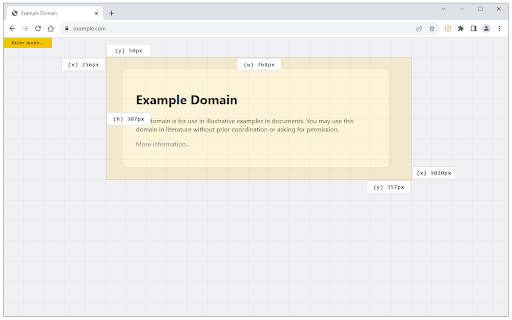
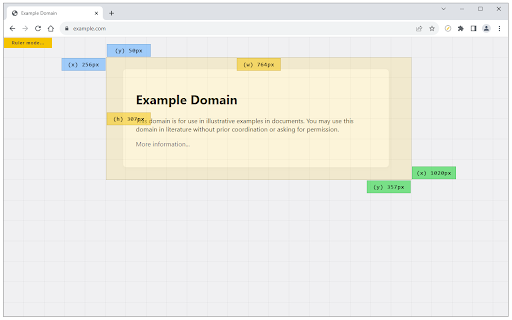
Too many same confused values in one place with small sizes. I just want to see X and Y sizes. Nothing more.
I HATE THIS, THIS IS BAD!! IT IS PIXELS I AM IN GRD 3 HOW DO YOU EXPECT ME TO READ PIXELS AND TRANSLATE TO CM!!!??
issue cannot rule this website https://www.safranbolufirini.com/ check body element
Would work fine, if tooltips would not make measuring small elements impossible due to them obscuring the ruler itself and each other.
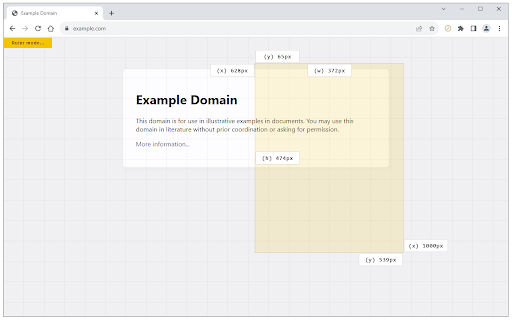
It's okay, problems I have with it is that if you measuring something at the top of the screen the measured values go outside the screen. If you're measuring something when a dialog/overlay is open the overlay will be above the ruler and make it impossible to measure.
I needed to measure the height between two elements, but the tooltips cover part of both elements and it's very difficult to measure. Please, move these tooltips to a small popup (position: absolute or fixed). Or at least, create a setting to remove excessive tooltips
Okay, but it doesn't follow page scrolling, so it's not right for my needs.
You can use it to measure something big (more than 100px), but smaller than that, you can't see the width/height
Add option to move all the info to the top of the active browser window. Currently I can't measure space between elements because all these white rectangles are covering them. I need to measure 10-20px margins.
It looks like it would be a solid extension, except that it's not very good for small distances. The dimension readout covers what you're trying to measure for a space of, say, 25px. Also the dimension readout went off the side of the screen for one measurement I tried to make.
Permissions (3)
Permissions
Details
| Version | 0.1.6 |
| Updated | Aug 26, 2025 |
| Size | 312KiB |
| First Seen | Mar 28, 2026 |
More by leocompson





Popular in tools




Popular Extensions




