
⚠️Not updated in over a year
Description
# Title
GitHub PR Path Copier
# Short Description
Easily copy file paths from GitHub PR conversation pages with convenient copy buttons next to file links.
# Detailed Description
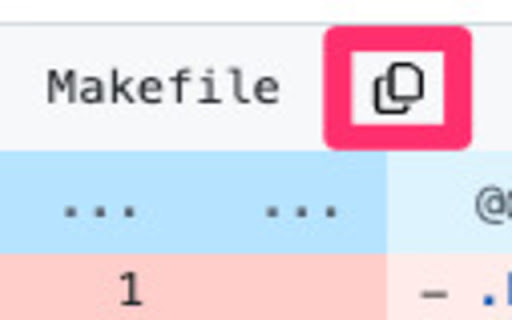
GitHub PR Path Copier is a lightweight extension that makes copying file paths from GitHub Pull Request conversation pages effortless. It adds copy buttons next to file links in PR comments, allowing you to copy file paths to your clipboard with a single click.
# Key Features
- One-click file path copying
- Clean interface matching GitHub's design
- Instant visual feedback on copy
- Automatically works on PR conversation pages
- Minimal permissions required
# How to Use
1. Install the extension
2. Navigate to any GitHub Pull Request
3. Look for copy icons next to file links
4. Click to copy the file path
# Privacy & Security
- No data collection
- Clipboard write permission only
- Works exclusively on GitHub PR pages
- No external services used
# Perfect for
- Developers reviewing PRs
- Team members sharing file references
- Anyone working with GitHub code reviews
The extension is lightweight, fast, and follows GitHub's design patterns to provide a seamless experience.
# Category
Developer Tools
# Keywords
github, pull request, file path, copy, clipboard, productivity
Reviews
Loading reviews...
Permissions (1)
Permissions
clipboardWriteℹ Can write to your clipboard
Details
| Version | 1.1.4 |
| Updated | Jan 21, 2025 |
| Size | 26.41KiB |
| First Seen | Mar 27, 2026 |
Popular in developer

TouchEn PC보안 확장
by 라온시큐어
8M
★ 1.33
developer
8M
★ 1.33
developer

React Developer Tools
by Meta
5M
★ 3.95
developer
5M
★ 3.95
developer

Lighthouse
by lighthouse-extension-owners
1M
★ 4.42
developer
1M
★ 4.42
developer

Контур.Плагин
by kontur.extension
1M
★ 3.11
developer
1M
★ 3.11
developer

Similarweb - Website Traffic & SEO Checker
by Similarweb
1M
★ 4.66
developer
1M
★ 4.66
developer
Popular Extensions

Adobe Acrobat: PDF edit, convert, sign tools
by Adobe Inc.
331M
★ 4.40
workflow
331M
★ 4.40
workflow

Grammarly: AI Writing Assistant and Grammar Checker App
by Grammarly
42M
★ 4.50
communication
42M
★ 4.50
communication

Chrome Remote Desktop
by Chrome Remote Desktop Release Managers
38M
★ 3.14
workflow
38M
★ 3.14
workflow

Microsoft Single Sign On
by Microsoft
36M
★ 2.27
workflow
36M
★ 2.27
workflow

Cisco Webex Extension
by cisco.chromestore
23M
★ 2.34
social
23M
★ 2.34
social