
Word Counter - counts what you type
Description


Reviews (5 cached)
can't count words in languages other than English!
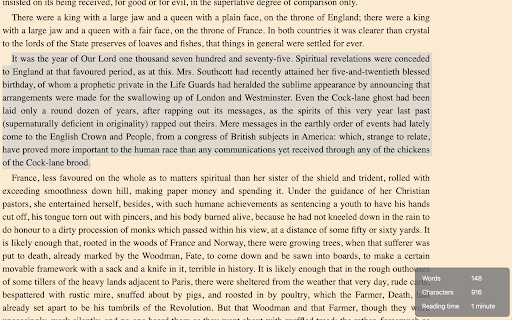
It's nice but there is definitely room for improvement. It's rather unobtrusive, which is a plus, and it basically gets the job done. Alas it doesn't work in some cases, because ist doesn't check whether the div it creates for it's output actually exists in the page. The div gets attached to the document body on setup and is afterwards just presumed to be present, which on single page apps is absolutely not guaranteed. Why not check in your code if your div is actually there, and create it on the fly if it isn't? Another thing is, and that's the one that prevented me from giving more than 2 stars, that it floods the console with messages. Every keystroke in a text field, results in a console message. I presume that this is not intentional but it's an absolute no go. Addition: Other reviewers reported, that they get "WordsCharactersReading time" output. This seems to affect richtext editors, like TinyMCE for example, that use an iframe for text input. As the output div for the plugin gets attached to *every* body tag found on the page, it also gets attached to the body of the richtext editor's iframe. But, as the iframe does not have access to the css of the surrounding page, the div doesnt't get styled properly. Simple solution would be to attach only to the first body tag of a page.
Somehow it didn't work. Whether I typed, or highlited text, it showed no sign of it's presence. I gave it all the permisions and access required, but it still didn't work for me.
sometimes it did not work, you have to refresh the webpage again and again. Its hectic and you developer guys should really pay attention to this problem. overall it is fine
When I write articles on my blog editor it automatically adds "WordsCharactersReading time". Each time I edit my article it adds that specific text. Except this, the app works perfectly and it's the best one for this specific task.
Permissions (1)
Permissions
Details
| Version | 2.2.0 |
| Updated | May 24, 2022 |
| Size | 163KiB |
| First Seen | Apr 1, 2026 |
More by Aditya Bhaskar


Popular in workflow




Popular Extensions
