gRPC-Web Developer Tools icon

gRPC-Web Developer Tools

by SergioTx

v2.5.0 Updated Mar 21, 2026 441KiB
CWS
3K
Users
★ 3.63
8 reviews
#13209
of 207.3K
developer
#1101 of 18.1K
Recently updated

Description

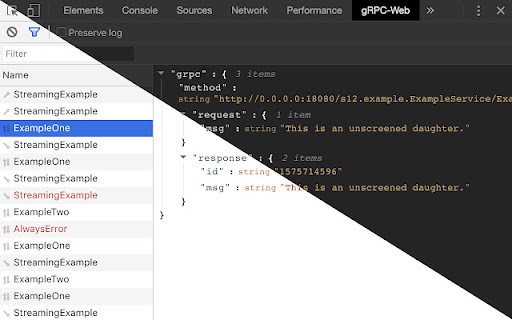
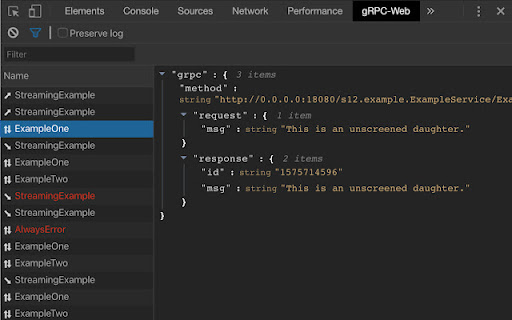
gRPC-Web Developer Tools is a Chrome DevTools extension for the official gRPC-Web library. It allows you to inspect the gRPC network log in the Chrome Developer Tools, and displayed as the deserialized JSON objects, rather than the base64 encoded binary format. You will get a new tab called gRPC-Web in your Chrome DevTools. This will start recording gRPC client network requests that have been configured (see Usage for details). Features are similar to the default Network tab, but only tracks gRPC requests. Selecting a network log entry will display the deserialized JSON for the request, response and any error object returned by your gRPC server. There is some setup needed in the code before using this extension. Take a look at the README: https://github.com/SergioTx/grpc-web-devtools Fork from: https://chrome.google.com/webstore/detail/grpc-web-developer-tools/kanmilmfkjnoladbbamlclhccicldjaj adding a couple of fixes.
gRPC-Web Developer Tools screenshot 1gRPC-Web Developer Tools screenshot 2gRPC-Web Developer Tools screenshot 3

Reviews (3 cached)

★☆☆☆☆2023-11-01
sergio bergauer

I've just installed. It cannot detect the gRPC requests. I'm using protobuf version 3

★★☆☆☆2025-09-24
Neil Katz

This works only some of the time, i can usually get it to work by opening it in dev tools, stopping and then restarting the recording then refresh the page. It will then work until i make a change and the page updates, then it no longer records changes until i close the tools window and do the whole thing again. This is really an issue because all our network calls are gRPC.

★★☆☆☆2024-11-15
Martin Škarabela

The README is not really clear at all. Points: 1. Prop window.__GRPCWEB_DEVTOOLS__ is not defined. There I expect, that I should install something somewhere in my project. Where? 2. Installations through webstore are pretty clear. But the manual installations are mess. For which system are the steps supposed? Linux? 3. If the installation steps are supposed to make it work with your project, so why it is necessary to install it only through Linux. I have nothing against Linux, but I don't see helpful to switch between OSs because of one devtool.

Permissions (1)

Permissions

storage Can store data locally in your browser

Details

Version 2.5.0
Updated Mar 21, 2026
Size 441KiB
First Seen Mar 26, 2026




