
CloudWatch Synthetics Recorder
v0.0.3 Updated Mar 20, 2025 484KiB
⚠️Not updated in over a year
Description
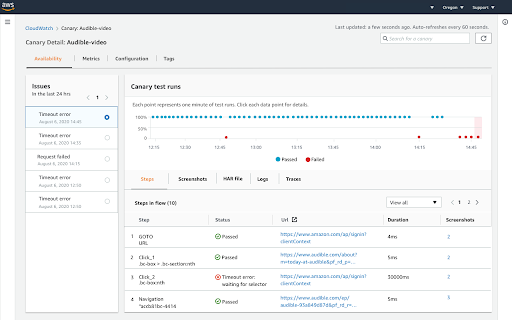
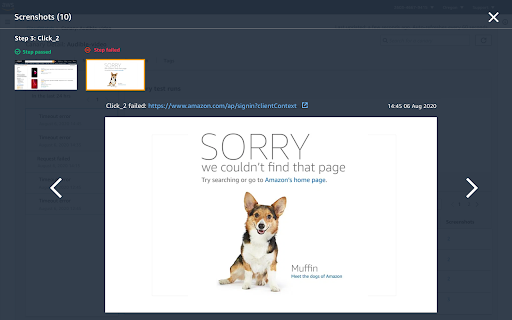
Use the CloudWatch Synthetics Recorder extension to automatically record the type and click actions that you take on your web site and convert these actions to a Node.js script. You can then use the script to create a canary in Amazon Cloudwatch Synthetics.
CloudWatch Synthetics canaries are configurable scripts that run on a schedule to monitor your endpoints and APIs. Canaries can follow the same routes and perform the same actions as a customer, which makes it possible for you to continually verify your customer experience even when you don't have any customer traffic on your applications.
For more information about CloudWatch Synthetics, see https://docs.aws.amazon.com/AmazonCloudWatch/latest/monitoring/CloudWatch_Synthetics_Canaries.html.
By default this extension will have access to record any webpage. If you wish to scope down these permissions to only allow specific webpages to be recorded, refer to the following Chrome Web Store support page: https://support.google.com/chrome_webstore/answer/2664769.
By installing or using this extension, you agree that your installation and use of this extension is governed by https://aws.amazon.com/agreement/ or other agreement between you and AWS governing your use of our services.
Credits: CloudWatch Synthetics Recorder is based on the Headless recorder(https://github.com/checkly/headless-recorder).


Reviews (1 cached)
★☆☆☆☆2021-09-22
Glenn Remar
It would have been useful if the tool had worked correctly. My team and I tried to use but the recorder seems to have issues with special characters such as : and it did not record xpath correctly. So it does give you a shell of what you need but you would need to manually clean up. I thought other recorders like Katalon recorder did a much better job of recording. So we have only started using Canary with API and checked specific urls rather than end to end testing.
Permissions (4)
Permissions
activeTabℹ Can access the current tab when you click the extension scriptingℹ Can inject scripts into web pages storageℹ Can store data locally in your browser webNavigationℹ Can monitor navigation events
Details
| Version | 0.0.3 |
| Updated | Mar 20, 2025 |
| Size | 484KiB |
| First Seen | Mar 29, 2026 |
Popular in developer

GoFullPage - Full Page Screen Capture
by GoFullPage
10M
★ 4.89
developer
10M
★ 4.89
developer

TouchEn PC보안 확장
by 라온시큐어
8M
★ 1.33
developer
8M
★ 1.33
developer

React Developer Tools
by Meta
5M
★ 3.95
developer
5M
★ 3.95
developer

Meta Pixel Helper
by Meta
4M
★ 3.91
developer
4M
★ 3.91
developer

ColorZilla
by colorzilla.com
4M
★ 4.59
developer
4M
★ 4.59
developer
Popular Extensions

Adobe Acrobat: PDF edit, convert, sign tools
by Adobe Inc.
331M
★ 4.40
workflow
331M
★ 4.40
workflow

AdBlock — block ads across the web
by AdBlock
62M
★ 4.48
workflow
62M
★ 4.48
workflow

迅雷下载支持
by Shenzhen Xunlei Network Technology Co., Ltd.
59M
★ 2.77
workflow
59M
★ 2.77
workflow

Grammarly: AI Writing Assistant and Grammar Checker App
by Grammarly
42M
★ 4.50
communication
42M
★ 4.50
communication

Adblock Plus - free ad blocker
by eyeo GmbH
41M
★ 4.39
workflow
41M
★ 4.39
workflow