
⚠️Not updated in over 2 years
Description
Add Sense adds Qlik Sense developer features to Chrome.
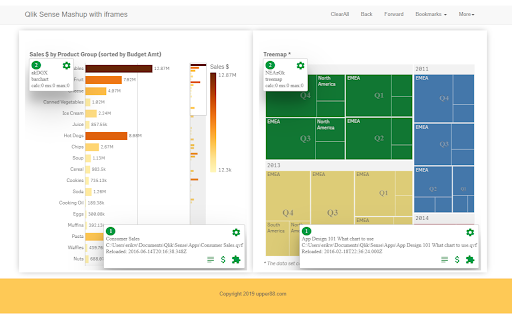
Works both in Qlik Sense client and custom made web pages using Qlik Sense capabilities API. No changes to the app are needed.
Use for troubleshooting, exploring and to investigate performance.
Features include:
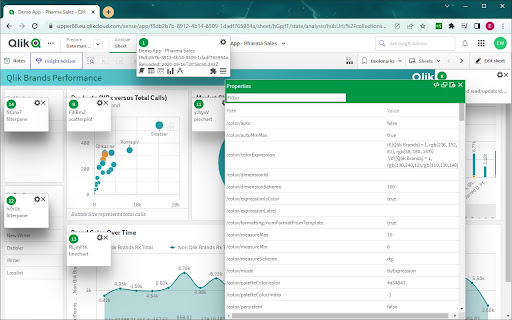
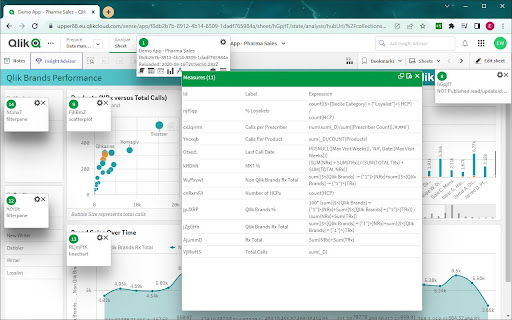
- show info like id, chart type and handle for objects on screen
- allows you to access object, sheet and app properties
- shows properties as JSON object or list in Qlik Sense patch format
- monitors calculation times
- show app properties, script (if accessible), tables, dimensions and measures
- lists extensions and charts used
- allows you to enable HTML select and copy
New in version 2.2.1:
- moved app info box to avoid collision with Qlik Sense UI
- reintroduced enable copy
- more sheet info: public/private, read/update access
- removed catwalk
- property panel definition
New in version 2.1.0:
- validate expressions and dimensions
- removed not needed permission from manifest
- removed usage of obsolete API
New in version 2.0.0:
- Google manifest version 3.0
- Active Objects improved
- Handles with more than 2 digits
- Close infoboxes
New in version 1.3.0:
- corrected bug when data contained HTML characters
- added id to filename when saving properties
- show properties for connected master object


Reviews
Loading reviews...
Permissions (1)
Permissions
activeTabℹ Can access the current tab when you click the extension
Details
| Version | 2.2.1 |
| Updated | Feb 9, 2023 |
| Size | 1.32MiB |
| First Seen | Apr 1, 2026 |
Popular in developer

GoFullPage - Full Page Screen Capture
by GoFullPage
10M
★ 4.89
developer
10M
★ 4.89
developer

TouchEn PC보안 확장
by 라온시큐어
8M
★ 1.33
developer
8M
★ 1.33
developer

React Developer Tools
by Meta
5M
★ 3.95
developer
5M
★ 3.95
developer

Meta Pixel Helper
by Meta
4M
★ 3.90
developer
4M
★ 3.90
developer

ColorZilla
by colorzilla.com
4M
★ 4.59
developer
4M
★ 4.59
developer
Popular Extensions

Adobe Acrobat: PDF edit, convert, sign tools
by Adobe Inc.
322M
★ 4.40
workflow
322M
★ 4.40
workflow

AdBlock — block ads across the web
by AdBlock
62M
★ 4.48
workflow
62M
★ 4.48
workflow

迅雷下载支持
by Shenzhen Xunlei Network Technology Co., Ltd.
59M
★ 2.77
workflow
59M
★ 2.77
workflow

Grammarly: AI Writing Assistant and Grammar Checker App
by Grammarly
42M
★ 4.50
communication
42M
★ 4.50
communication

Adblock Plus - free ad blocker
by eyeo GmbH
40M
★ 4.39
workflow
40M
★ 4.39
workflow