
✅Highly rated ✅Recently updated
Description
Hide n' Seek lets you easily remove promoted job postings and companies from your search results on LinkedIn, Indeed, and Glassdoor. You can also block job listings by keyword.
⭐ Usage
❗IMPORTANT: The first time you use Hide n' Seek on a job board you'll need to grant permissions in order for it to work, otherwise you won't see the block buttons on the listings. You'll know if you need to grant permissions if you see a yellow alert notification bubble next to the Hide n' Seek button on your browser's toolbar. You can grant permissions by clicking the Hide n' Seek button and then clicking the "Enable Hide n' Seek on {Job Board}" button.
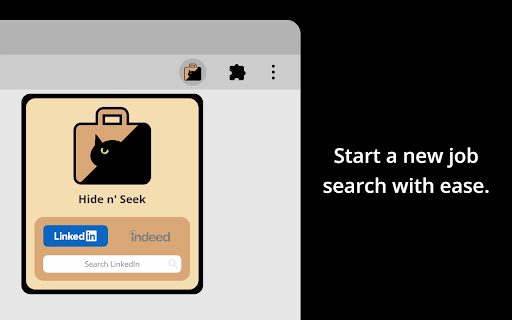
You can search for a job by clicking the Hide n' Seek button on the browser's toolbar or you can go directly to a supported job board's website to perform your search if you prefer.
“Block” buttons are added next to every listing. If you see a listing you don’t like, simply click the button to hide it. By default, the listing will be hidden under an overlay. Alternatively, you can completely eliminate it from search results by enabling the “Do not display hidden jobs” option.
To hide promoted jobs, click the “block” button on any promoted listing and then activate the “Promoted” toggle.
To hide jobs by keyword, visit one of the supported job boards, click the Hide n' Seek button on your browser's toolbar, and then add keywords using the "Block by keyword" field.
You can also view a list of everything you've hidden, and backup and restore your data by clicking the Hide n’ Seek button on your browser’s toolbar.
📋Supported Job Boards
Glassdoor
Indeed
LinkedIn
🔒 Privacy
Your data remains completely private and is never shared. All data is stored locally on your device and may sync across your devices if browser synchronization is enabled.
🔑 Permissions
Hide n' Seek requires browser permissions to function. When you first try to use it on a job board, you'll be asked to grant permissions.
"Read and change your data on all {Job Board} sites"
This permission allows the addition of "Block" buttons and other UI elements to listings.
"Read your browsing history"
This permission enables the detection of LinkedIn, Indeed, and Glassdoor so the extension knows when to look for listings.
Permissions are granted for a specific job board, so if you use multiple job boards, such as LinkedIn and Indeed, you'll need to grant permissions for each one individually.
Some job boards, such as Glassdoor, use many country-specific domains (for example glassdoor.com, glassdoor.co.uk, glassdoor.ca), and in these cases Hide n' Seek will ask for permissions for all the domains used by the job board.


Reviews (5 cached)
★☆☆☆☆2025-12-10
Francisco Montoya
Stopped working. Does not actually hide or flag promoted jobs on LinkedIn anymore.
★☆☆☆☆2025-05-19
Gabriel Gro
All it does is lap a "hidden" label over the blocked employers. You're still going to have to skip through pages of them because it doesn't "block" ANYTHING.
★☆☆☆☆2025-05-15
Ashley Jolliffe
Probably works fine for what it does, but I want it to work for Seek, a website used primarily in Australia.
★★★☆☆2024-03-11
Leon Mu
Hi, Damian, When I use this , the search result do show the block button and comfirm dialog, But it seems dose not block the companies later, Is that normal? However, When click inspect popup of this extention, suddenly, it works.
★★★☆☆2023-07-03
Sean O'Connell
Not really what I was looking for. More or less a search filter. How about an extension that lets me blacklist companies and jobs from my indeed feed, emails, etc.
Permissions (3)
Permissions
scriptingℹ Can inject scripts into web pages storageℹ Can store data locally in your browser tabsℹ Can see your open tabs and their URLs
Details
| Version | 8.2.2 |
| Updated | Mar 14, 2026 |
| Size | 363KiB |
| First Seen | Mar 29, 2026 |
Popular in social

Cisco Webex Extension
by cisco.chromestore
23M
★ 2.34
social
23M
★ 2.34
social

LINE
by LY Corporation
4M
★ 3.51
social
4M
★ 3.51
social

vidIQ Vision for YouTube
by vidIQ
3M
★ 4.48
social
3M
★ 4.48
social

7TV
by 7TV
3M
★ 4.57
social
3M
★ 4.57
social

Google Mail Checker
by Chrome Developer Relations
2M
★ 4.12
social
2M
★ 4.12
social
Popular Extensions

Adobe Acrobat: PDF edit, convert, sign tools
by Adobe Inc.
331M
★ 4.40
workflow
331M
★ 4.40
workflow

AdBlock — block ads across the web
by AdBlock
62M
★ 4.48
workflow
62M
★ 4.48
workflow

Grammarly: AI Writing Assistant and Grammar Checker App
by Grammarly
42M
★ 4.50
communication
42M
★ 4.50
communication

Chrome Remote Desktop
by Chrome Remote Desktop Release Managers
38M
★ 3.14
workflow
38M
★ 3.14
workflow

Microsoft Single Sign On
by Microsoft
36M
★ 2.27
workflow
36M
★ 2.27
workflow