
⚠️Not updated in over a year
Description
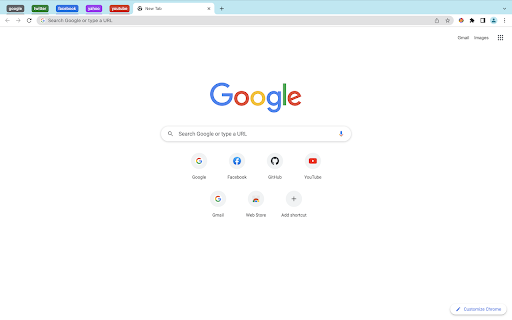
GroupEM is a simple yet powerful Chrome extension that helps you to organize your tabs by domain. With a single click, you can group all of your tabs that have the same domain and set the appropriate color. This makes it easy to quickly find the tabs that you are looking for and to keep your browser window organized.
Features:
- Automatically groups tabs by domain
- Assigns a unique color to each group
- Lightweight and fast
Benefits:
- Improves productivity by making it easy to find and organize tabs
- Reduces clutter by grouping related tabs together
- Makes your browser window look more organized
How to use:
- Install the GroupEM extension from the Chrome Web Store.
- Pin GroupEM's icon to the Chrome taskbar by clicking on the Extensions icon and selecting GroupEM.
- Click on GroupEM's icon in the Chrome taskbar.
- All of your tabs will be grouped by domain.
Download GroupEM today and start organizing your tabs like a pro!
Reviews
Loading reviews...
Permissions (3)
Permissions
storageℹ Can store data locally in your browser tabGroupsℹ Can organize tabs into groups tabsℹ Can see your open tabs and their URLs
Details
| Version | 1.3.3 |
| Updated | May 22, 2024 |
| Size | 18.23KiB |
| First Seen | Mar 30, 2026 |
Popular in workflow

Adobe Acrobat: PDF edit, convert, sign tools
by Adobe Inc.
331M
★ 4.40
workflow
331M
★ 4.40
workflow

AdBlock — block ads across the web
by AdBlock
63M
★ 4.48
workflow
63M
★ 4.48
workflow

迅雷下载支持
by Shenzhen Xunlei Network Technology Co., Ltd.
59M
★ 2.77
workflow
59M
★ 2.77
workflow

Adblock Plus - free ad blocker
by eyeo GmbH
41M
★ 4.39
workflow
41M
★ 4.39
workflow

Chrome Remote Desktop
by Chrome Remote Desktop Release Managers
38M
★ 3.14
workflow
38M
★ 3.14
workflow
Popular Extensions
Adobe Acrobat: PDF edit, convert, sign tools
by Adobe Inc.
331M
★ 4.40
workflow
331M
★ 4.40
workflow
AdBlock — block ads across the web
by AdBlock
63M
★ 4.48
workflow
63M
★ 4.48
workflow
迅雷下载支持
by Shenzhen Xunlei Network Technology Co., Ltd.
59M
★ 2.77
workflow
59M
★ 2.77
workflow

Grammarly: AI Writing Assistant and Grammar Checker App
by Grammarly
42M
★ 4.50
communication
42M
★ 4.50
communication
Adblock Plus - free ad blocker
by eyeo GmbH
41M
★ 4.39
workflow
41M
★ 4.39
workflow