
⚠️Not updated in over a year
Description
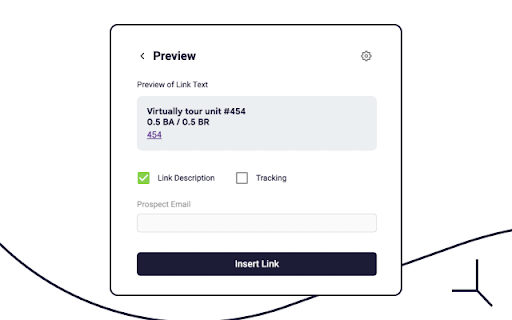
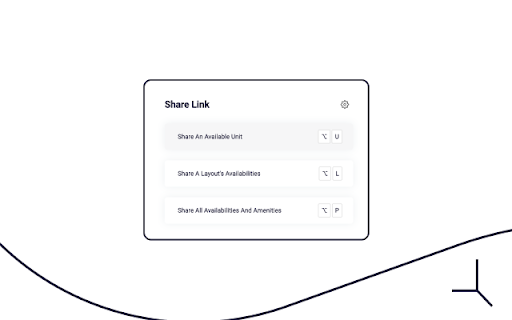
Peek's Chrome Extension v2.0 has its primary objective to enable users to quickly leverage Peek’s Prospect Intelligence Link Tracking directly from their Messaging, Email, CRM, and PMS Platforms.
In that way, users can send tracked links of Units, Layouts, and Properties through a pop-up interface accessible via keyboard shortcuts without logging in to the Peek's Dashboard — or even leaving their current Chrome Window.
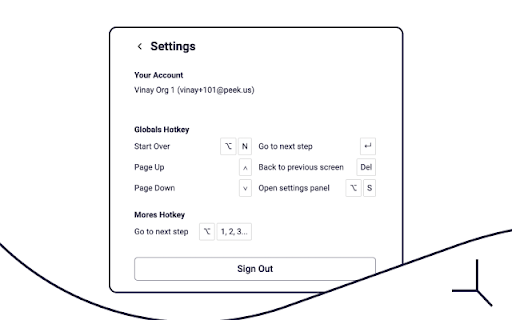
To get started with Peek's Chrome Extension, install it for free in Chrome Web Store. After that, open it by typing “/peek” into any text box on a supported domain — remember to log in to your Peek Account. With that, finally, start sharing your Peek's Virtual Tours.
Reviews
Loading reviews...
Permissions (1)
Permissions
storageℹ Can store data locally in your browser
Details
| Version | 2.2.1 |
| Updated | Jan 2, 2025 |
| Size | 478KiB |
| First Seen | Mar 29, 2026 |
More by Peek

Popular in workflow

Adobe Acrobat: PDF edit, convert, sign tools
by Adobe Inc.
331M
★ 4.40
workflow
331M
★ 4.40
workflow

AdBlock — block ads across the web
by AdBlock
63M
★ 4.48
workflow
63M
★ 4.48
workflow

迅雷下载支持
by Shenzhen Xunlei Network Technology Co., Ltd.
59M
★ 2.77
workflow
59M
★ 2.77
workflow

Adblock Plus - free ad blocker
by eyeo GmbH
41M
★ 4.39
workflow
41M
★ 4.39
workflow

Chrome Remote Desktop
by Chrome Remote Desktop Release Managers
39M
★ 3.14
workflow
39M
★ 3.14
workflow
Popular Extensions
Adobe Acrobat: PDF edit, convert, sign tools
by Adobe Inc.
331M
★ 4.40
workflow
331M
★ 4.40
workflow
AdBlock — block ads across the web
by AdBlock
63M
★ 4.48
workflow
63M
★ 4.48
workflow
迅雷下载支持
by Shenzhen Xunlei Network Technology Co., Ltd.
59M
★ 2.77
workflow
59M
★ 2.77
workflow

Grammarly: AI Writing Assistant and Grammar Checker App
by Grammarly
42M
★ 4.50
communication
42M
★ 4.50
communication
Adblock Plus - free ad blocker
by eyeo GmbH
41M
★ 4.39
workflow
41M
★ 4.39
workflow