
⚠️Not updated in over 2 years
Description
Uplink lets you copy a link once and paste it forever.
Stop copying your calendar link dozens of times a day as you send it to customers. Stop opening zoom to grab your link and paste it in a calendar invite. Stop digging through your support portal to send customers help articles.
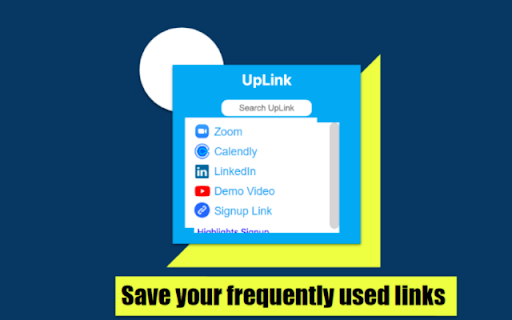
Uplink lets you save links so you can have them on hand to paste anywhere. This allows you to quit getting interrupted by the context shift required to go and find these links every time you need to copy them.
We made Uplink because it was annoying that I had to open zoom to put the link to a call on a calendar invite. I used to have to scroll through our calendar software and copy the link to a specific calendar before sending it to a customer. Now the calendar links for my personal calendar, our sales team, and our support team are clearly labeled and on hand in Uplink.
Here’s how it works: Right click on any link and select copy to UpLink to add it to your link storage. You will then be able to view the links using Ctrl+Shift+Y for windows or Command+Shift+Y for mac. To create a hyperlink for an email double click a word and use the keyboard shortcut then select the link you would like to insert. You can copy any link by simply clicking on it in UpLink. To delete or rename a link double click it and then click the delete or rename button. You can grab the current url and store it in your link storage using the commands Ctrl+Shift+5 for windows and Command+Shift+U for mac.


Reviews
Loading reviews...
Permissions (3)
Permissions
contextMenusℹ Can add items to the right-click menu storageℹ Can store data locally in your browser tabsℹ Can see your open tabs and their URLs
Details
| Version | 1.3 |
| Updated | Sep 30, 2022 |
| Size | 21.09KiB |
| First Seen | Mar 30, 2026 |
More by Nine

Popular in workflow

Adobe Acrobat: PDF edit, convert, sign tools
by Adobe Inc.
331M
★ 4.40
workflow
331M
★ 4.40
workflow

AdBlock — block ads across the web
by AdBlock
63M
★ 4.48
workflow
63M
★ 4.48
workflow

迅雷下载支持
by Shenzhen Xunlei Network Technology Co., Ltd.
59M
★ 2.77
workflow
59M
★ 2.77
workflow

Adblock Plus - free ad blocker
by eyeo GmbH
41M
★ 4.39
workflow
41M
★ 4.39
workflow

Chrome Remote Desktop
by Chrome Remote Desktop Release Managers
39M
★ 3.14
workflow
39M
★ 3.14
workflow
Popular Extensions
Adobe Acrobat: PDF edit, convert, sign tools
by Adobe Inc.
331M
★ 4.40
workflow
331M
★ 4.40
workflow
AdBlock — block ads across the web
by AdBlock
63M
★ 4.48
workflow
63M
★ 4.48
workflow
迅雷下载支持
by Shenzhen Xunlei Network Technology Co., Ltd.
59M
★ 2.77
workflow
59M
★ 2.77
workflow

Grammarly: AI Writing Assistant and Grammar Checker App
by Grammarly
42M
★ 4.50
communication
42M
★ 4.50
communication
Adblock Plus - free ad blocker
by eyeo GmbH
41M
★ 4.39
workflow
41M
★ 4.39
workflow