
⚠️Not updated in over 2 years
Description
Keep one (optionally unfocusable) per window pinned tab open at all times. Prevents Chrome windows from closing with last tab.
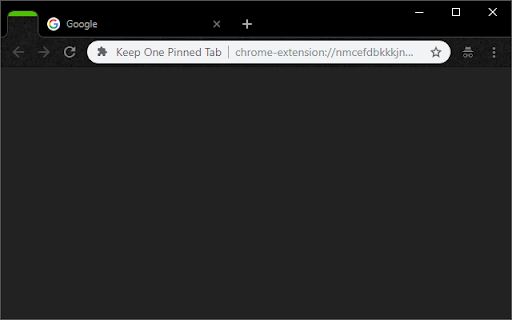
This extension prevents Chrome from closing when you close the final tab in a window. It keeps one pinned, blank tab always open as the first tab in your tab bar, and reopens it if it is closed.
------------------------
Inspired by "Live On":
https://chrome.google.com/webstore/detail/live-on/oficfgdfeoknbjfhommlpiekdapmnebh/
Icons by Everaldo Coelho:
http://www.everaldo.com/
Project released open-source, Github project available:
https://github.com/theborg3of5/KeepOnePinnedTab
------------------------
Please note that this was made for personal use, so replies and fixes may be delayed.
------------------------
Changelog:
1.0: Initial Release.
1.1: Bugfix: now takes into account whether the window is a popup vs. normal, and allows selection of special tab to aid in easier ctrl+tabbing.
1.2: Broke main functionality with last update, now fixed.
1.3: Extending closing functionality to second, semi-special tab.
2.0: Back from hiatus! Fixed the issue where a new pinned tab would appear upon every startup for some users, and moved the close-extra-new-tabs functionality out to a new extension, called "Close Extra New Tabs" (see other apps by this developer).
3.0: Added an options page! You can now set what URL you want the pinned tab to have, rather than it always being your new tab page. Defaults to new tab page if you don't set it.
3.1: Fixed an issue where the extension would open tabs forever, sorry folks!
3.2: Took out a console.log() that was left in (no functional impact).
4.0: Major update! Changes:
- Built-in options for pages to pin.
- Option: no focus special pinned tab.
- Squashed all known bugs.
4.1: A few small bugfixes:
- Don't open two new tabs (+ pinned one) when opening a new window.
- Work correctly in incognito mode.
4.2: Fix issue where we keep opening new pinned tabs when Chrome is allowed to stay open in the background
5.0: Complete rewrite and upgrade to manifest v3!
- Fixes the "never focus pinned tab" setting.
- Cleans up the settings page (and changes how we store settings behind the scenes).

Reviews (5 cached)
★☆☆☆☆2017-03-05
Kuro Senshi
Always creates a new chrome window with 2 new tabs open (instead of the usual one). I tried a bit, but in the end i had to remove the extension.
★☆☆☆☆2016-02-13
Jim Stickney
A year and a half later, same problem as Cameron Deemer. Each time you close and re-open, a new pinned tab is generated.
★☆☆☆☆2014-08-19
C D
I had the same experience as Zhou. Each time I closed Chrome, then reopened it, I got more and more tabs. Finally up to 12 tabs and will have to delete this extension. If this bug if fixed, should be fine.
★☆☆☆☆2014-08-15
Zhou Liang
Set lots of pinned tabs instead of ONE!!
★★☆☆☆2026-01-30
Jessi “Jela Miraj” Cady
Main feature works, but with the caveat that it eventually will keep opening uninteractable tabs until it runs out of memory...
Permissions (4)
Permissions
alarmsℹ Can schedule periodic background tasks storageℹ Can store data locally in your browser tabGroupsℹ Can organize tabs into groups tabsℹ Can see your open tabs and their URLs
Details
| Version | 5.0 |
| Updated | Jan 8, 2024 |
| Size | 17.5KiB |
| First Seen | Mar 30, 2026 |
More by Gavin Borg


Popular in workflow

Adobe Acrobat: PDF edit, convert, sign tools
by Adobe Inc.
331M
★ 4.40
workflow
331M
★ 4.40
workflow

AdBlock — block ads across the web
by AdBlock
62M
★ 4.48
workflow
62M
★ 4.48
workflow

迅雷下载支持
by Shenzhen Xunlei Network Technology Co., Ltd.
59M
★ 2.77
workflow
59M
★ 2.77
workflow

Adblock Plus - free ad blocker
by eyeo GmbH
41M
★ 4.39
workflow
41M
★ 4.39
workflow

Chrome Remote Desktop
by Chrome Remote Desktop Release Managers
39M
★ 3.14
workflow
39M
★ 3.14
workflow
Popular Extensions
Adobe Acrobat: PDF edit, convert, sign tools
by Adobe Inc.
331M
★ 4.40
workflow
331M
★ 4.40
workflow
AdBlock — block ads across the web
by AdBlock
62M
★ 4.48
workflow
62M
★ 4.48
workflow
迅雷下载支持
by Shenzhen Xunlei Network Technology Co., Ltd.
59M
★ 2.77
workflow
59M
★ 2.77
workflow

Grammarly: AI Writing Assistant and Grammar Checker App
by Grammarly
42M
★ 4.50
communication
42M
★ 4.50
communication
Adblock Plus - free ad blocker
by eyeo GmbH
41M
★ 4.39
workflow
41M
★ 4.39
workflow